SSD
Back
14
Assembly Notice
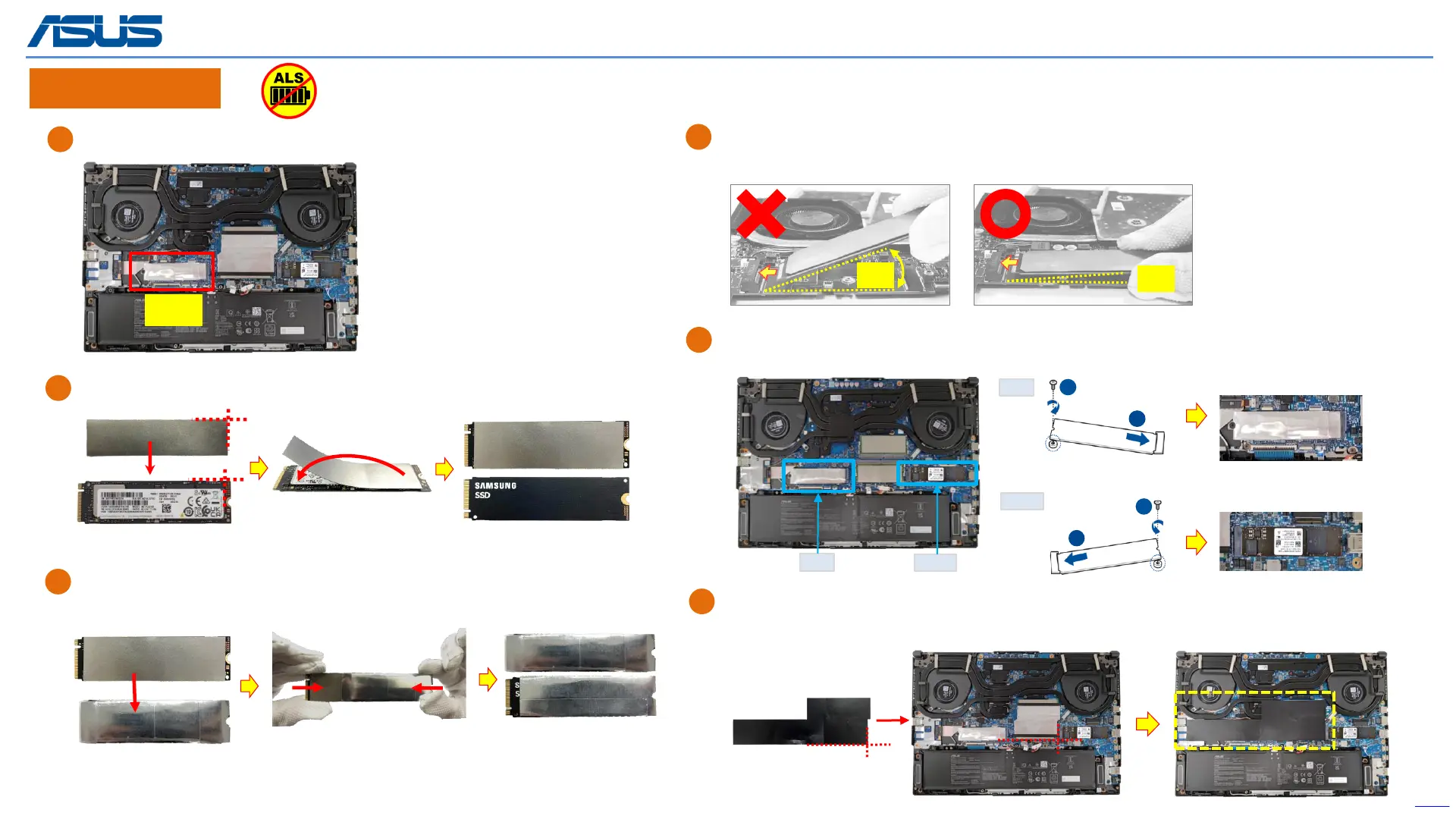
Paste the ABSORBER on the new left-M.2 card (SSD).
When installing the SSD, please keep the SSD less then 15 degrees
with motherboard, and then insert the SSD.
<15°
>15°
Please use left- SSD slot as first priority.
A
Put the left-M.2 card (SSD) into the AL FOIL*1pc before inserting it into the
left-SSD slot. (left SSD)
B
C
After installing the SSD, please paste the DIMM COVER MYLAR on below
location. (yellow mark)
D
E
The device has an Ambient Light Sensor (ALS) for power-off protection Function.
SSD1
F
Align and insert the SSD into the module slot, then secure the SSD in place
by fastening screw.
1
2
1
2
left
right
left right
(Rear)
(Front)
(Rear)
(Front)



 To Next Page