Chapter 1: Get your Zen ready!
11
NOTE: After installing a formatted memory card, you can access its contents from ASUS > File Manager
> Internal storage > sdcard.
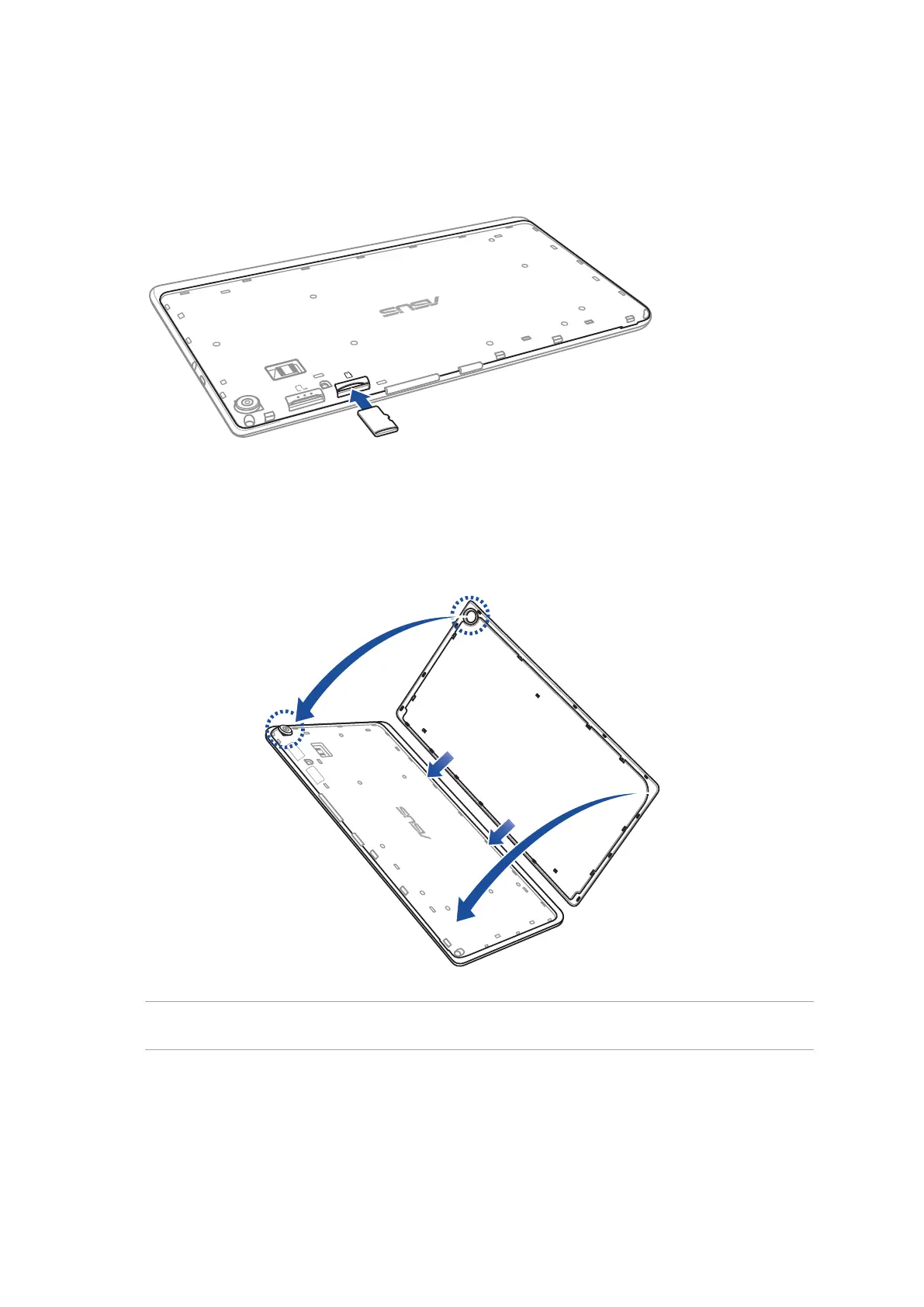
2. Align and insert a memory card into the memory card slot.
3. Push the memory card all the way into the slot until it is seated rmly in place.
4. Put back the back cover.



 To Next Page