Chapter 1: Get your Zen ready!
10
Installing a memory card
Your ASUS Tablet supports a microSD™, microSDHC™, and microSDXC™ memory card with up to
128 GB (up to 64 GB on Wi-Fi only models) of capacity.
NOTE: Some memory cards may not be compatible with your ASUS Tablet. Ensure that you use only
compatible memory cards to prevent loss of data, damage to your device, or memory card, or both.
CAUTION! Be extra careful when handling a memory card. ASUS is not responsible for any data loss or
damage incurred to your memory card.
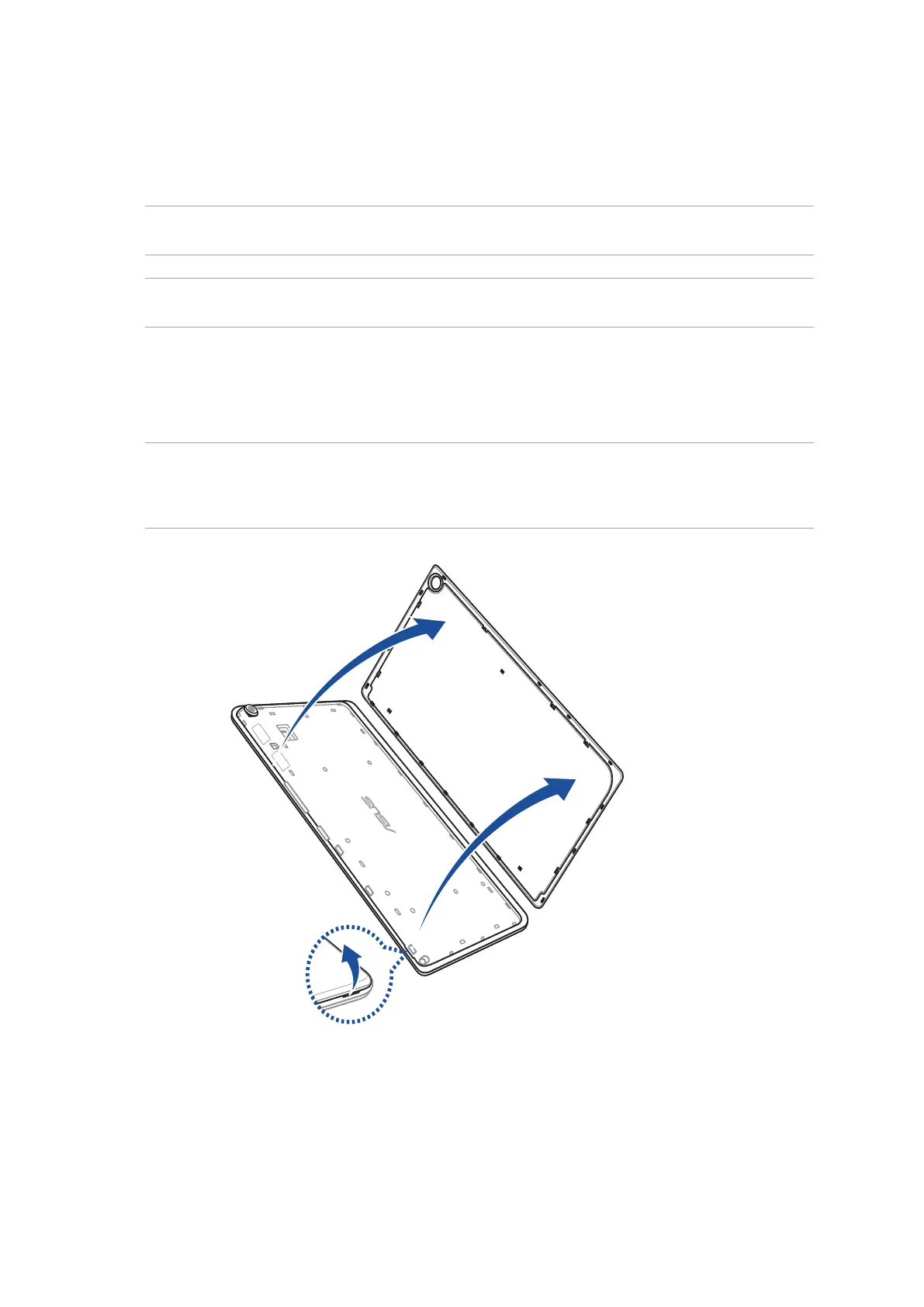
To install a memory card:
1. Locate the groove on the bottom-right corner and pull the back cover outwards until it is
removed completely.
CAUTION!
• Becarefulnottodamagethebackcoverorinjureyourngernailswhenyouremovethecover.
• Donotforciblyremove,shear,ordistortthebackcover.



 To Next Page