36
Chapter 2: There’s no place like Home
Adding or removing buttons
To add or remove existing buttons from the ASUS Quick settings notication panel:
1. Launch Quick settings then tap .
2. Tap the box beside the feature to add or remove it from the ASUS Quick settings notication
panel.
NOTE: A checked box indicates that the feature's button is accessible via the ASUS Quick settings
notication panel while an unchecked box means the opposite.
3. Tap to go back and view the current ASUS Quick settings notication panel.
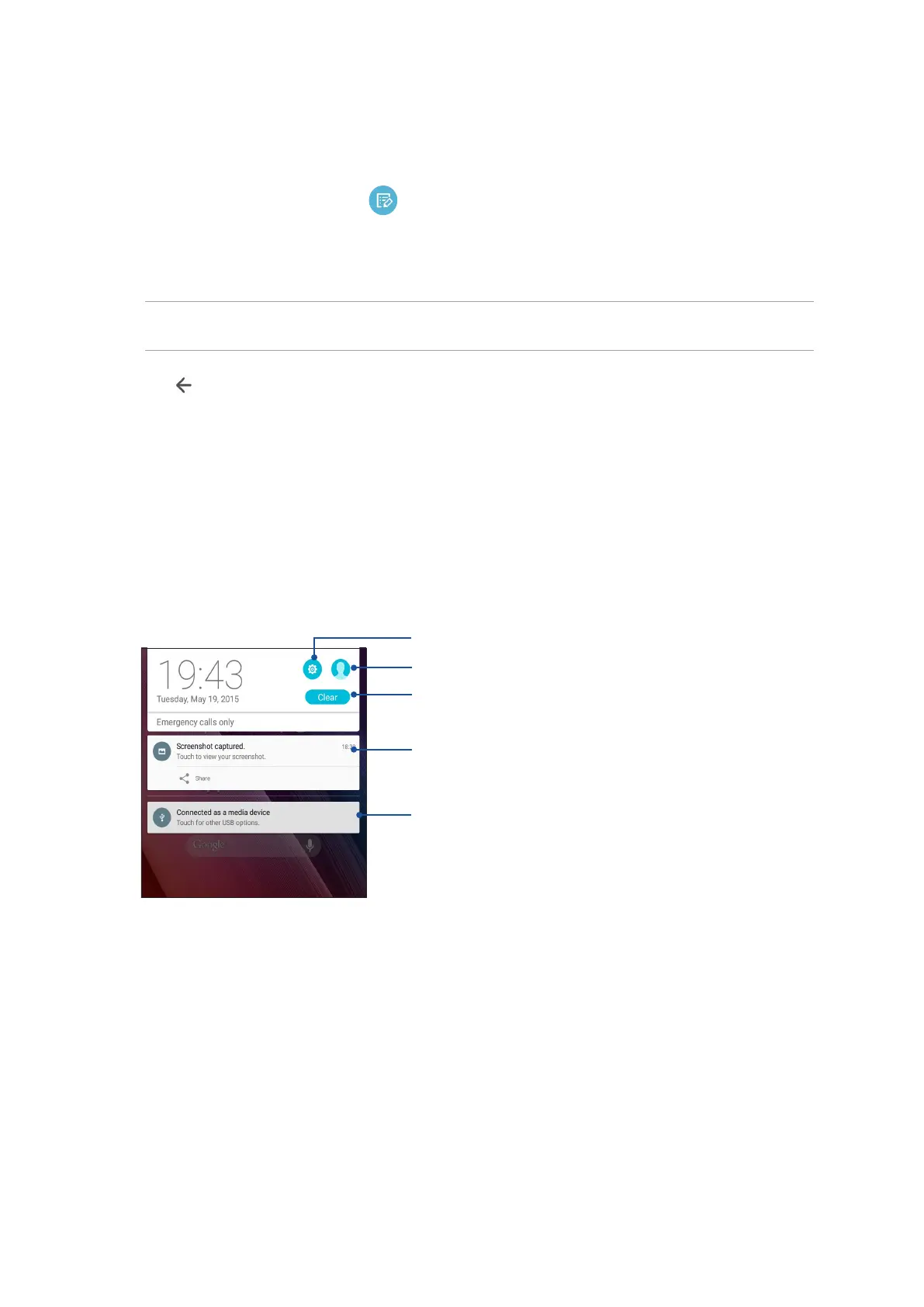
System notications
From System notications, you can see the latest updates done and system changes made on your
ASUS Tablet. Most of these changes are data and system-related.
To launch the System notications panel, swipe down with two ngers from the top of your ASUS
Tablet.
Tap this to delete all of the listed notications
Swipe the notication to the left or right to remove it from the
list
Tap on the notication to view its details
Tap to open Settings
Tap to switch user account



 To Next Page