35
Chapter 2: There’s no place like Home
Quick settings
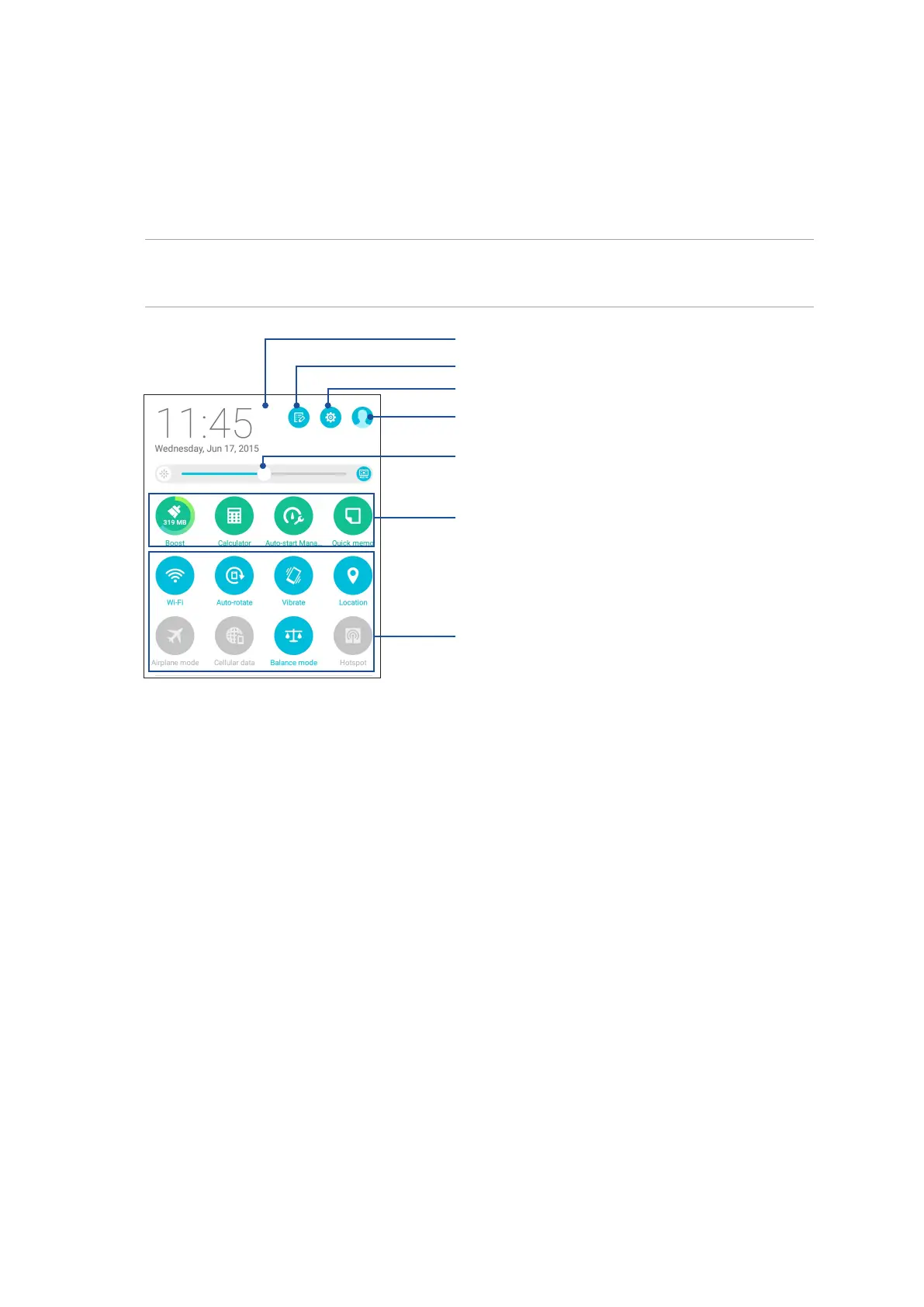
The Quick settings panel provides a one-tap access to some of the wireless features and settings of
your ASUS Tablet. Each of these features are represented by a button.
To launch the Quick settings panel, swipe down with two ngers from the top of your ASUS Tablet.
NOTE: A blue button indicates that the feature is currently enabled while a gray button indicates a
disabled feature. The green buttons refer to individual utilities that you can quickly access via the Quick
Settings Notication Panel.
Tap these buttons to enable or disable their functions
Slide left or right to adjust the screen’s brightness
Tap to open Settings
Tap these buttons to quick-launch these utilities
Tap on this area to switch to Quick settings panel
Tap to edit Quick settings
Tap to switch user account



 To Next Page