Chapter 4: Your precious moments
82
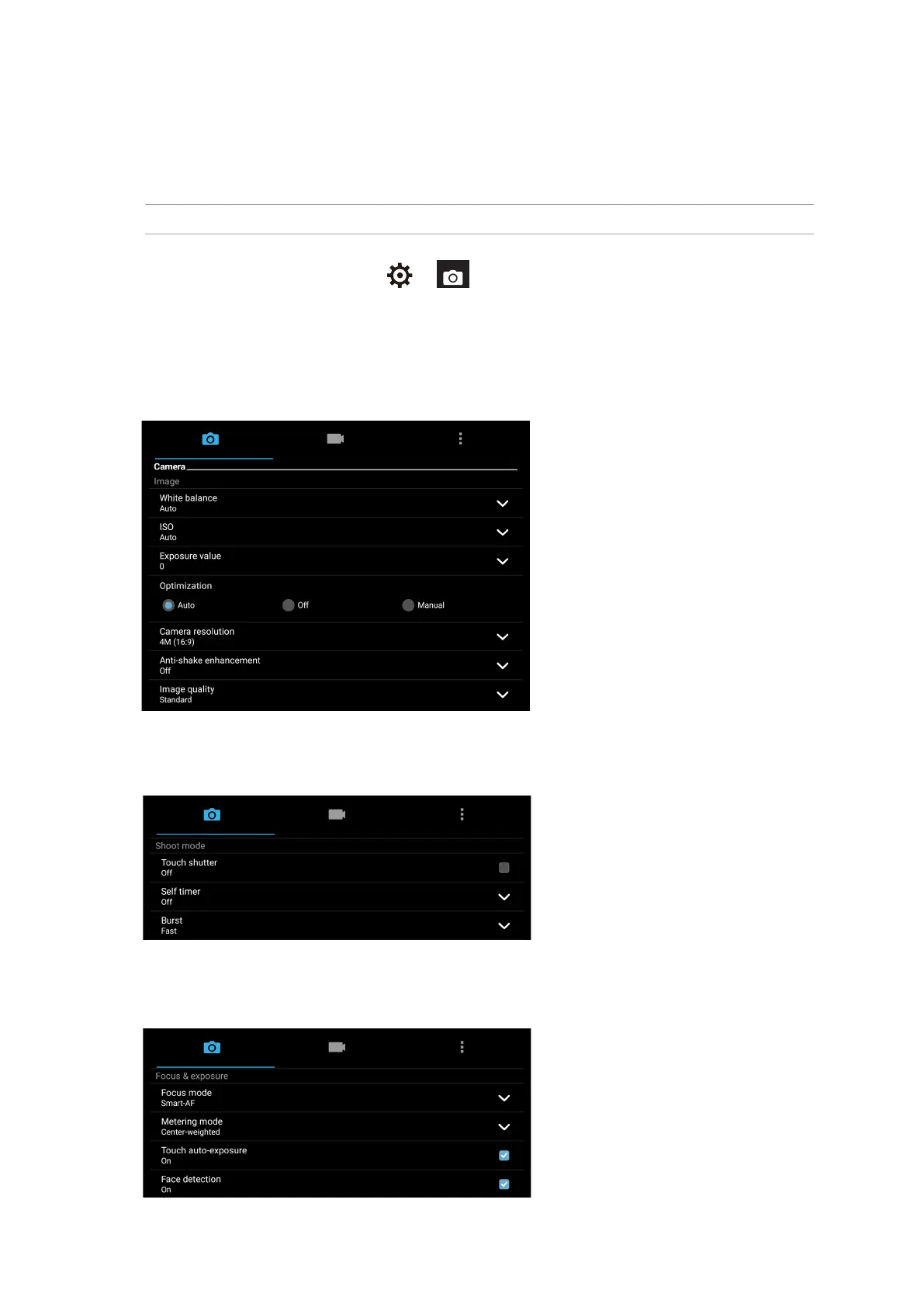
Shoot mode
Set your shutter speed to Timer mode, enable Touch shutter or change the Burst speed under this
option.
Focus & Exposure
Enable Touch auto-exposure or Face detection, or set Metering mode and Focus mode under
this option.
Image settings
Adjust the appearance of your captured images by conguring your camera’s settings using the
steps below.
IMPORTANT! Apply the settings rst before taking images.
1. On the camera’s home screen, tap > .
2. Scroll down and congure the available options.
Image
Congure the image quality using these options.



 To Next Page