Chapter 10: Zen Everywhere
151
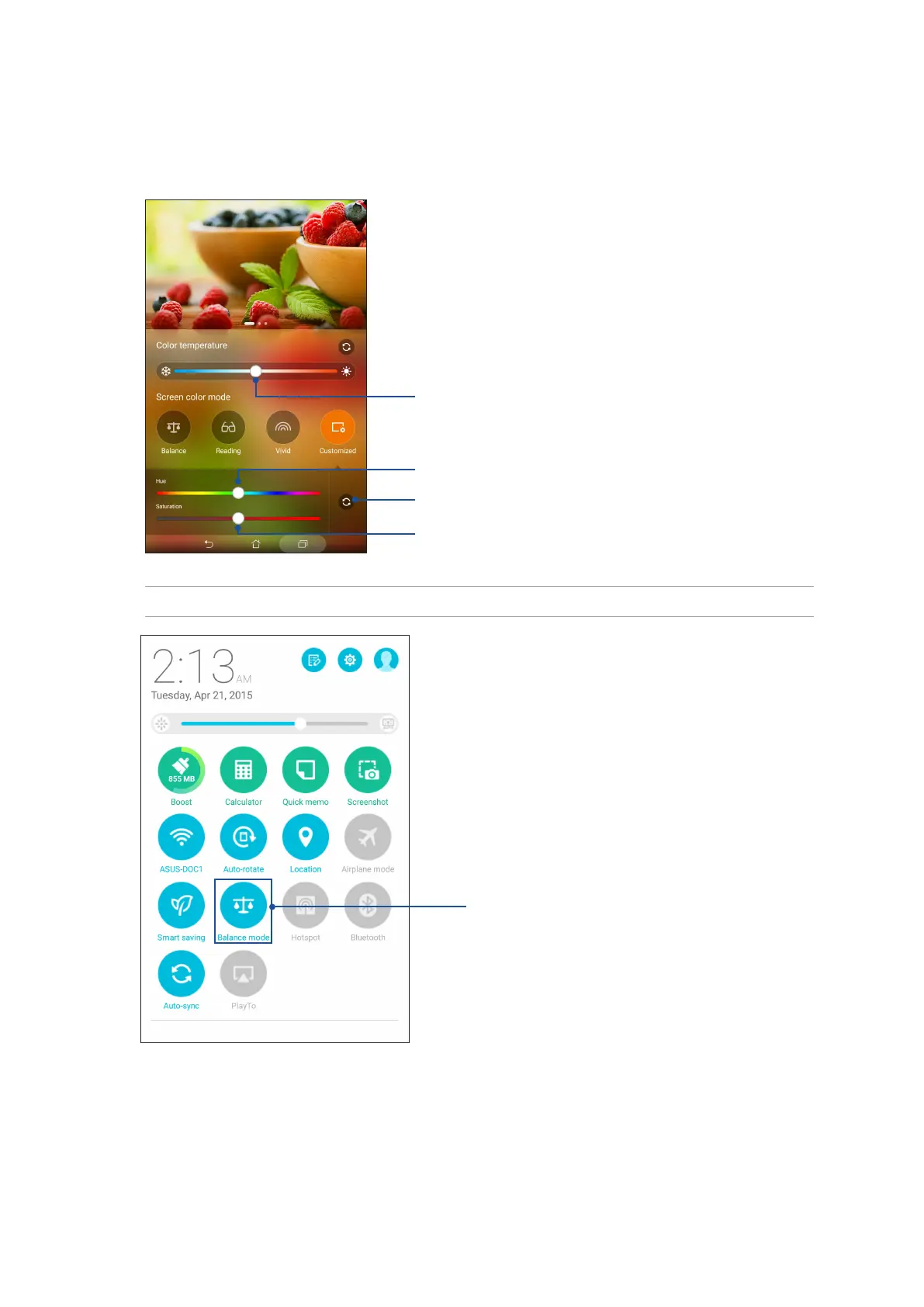
Customized mode
This mode allows you to adjust the screen display based on your preferred color temperature, hue,
and saturation.
Tap to reset to factory defaults
Move to adjust hue
Move to adjust saturation
NOTE: You can also quickly set the Splendid screen mode from the Quick settings panel.
Tap until you’ve selected your preferred screen color mode
Move to adjust the color temperature



 To Next Page