Chapter 1: Get your Zen ready!
16
Removing a micro SIM card (on selected models)
CAUTION! Be extra careful when handling a micro SIM card. ASUS is not responsible for any data loss or
damage incurred to your
micro SIM
card.
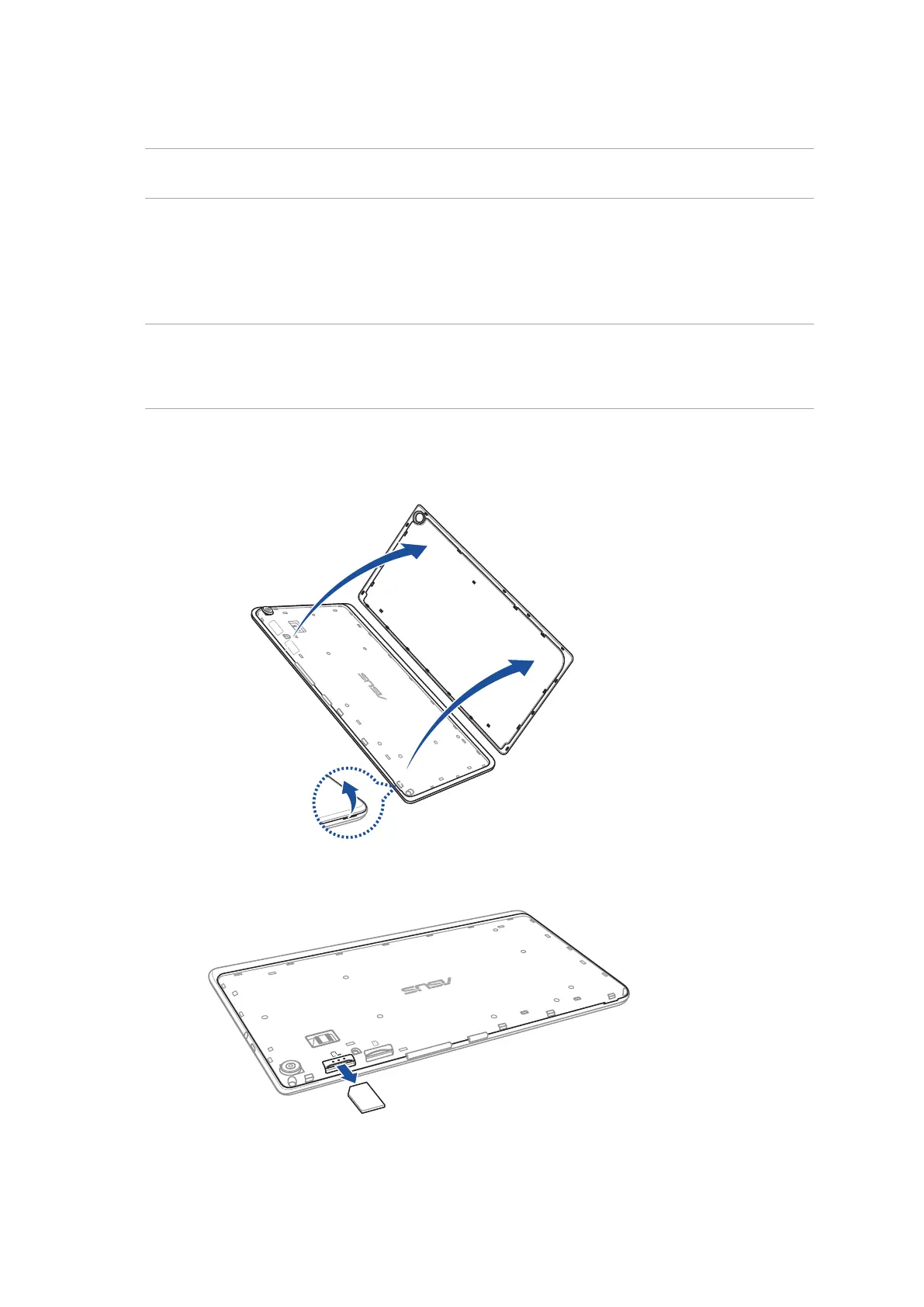
To remove a micro SIM card:
1. Locate the groove on the bottom-right corner and pull the back cover outwards until it is
removed completely.
CAUTION!
• Becarefulnottodamagethebackcoverorinjureyourngernailswhenyouremovethecover.
• Donotforciblyremove,shear,ordistortthebackcover.
2. Press the micro SIM card to eject, then pull it out.



 To Next Page