49
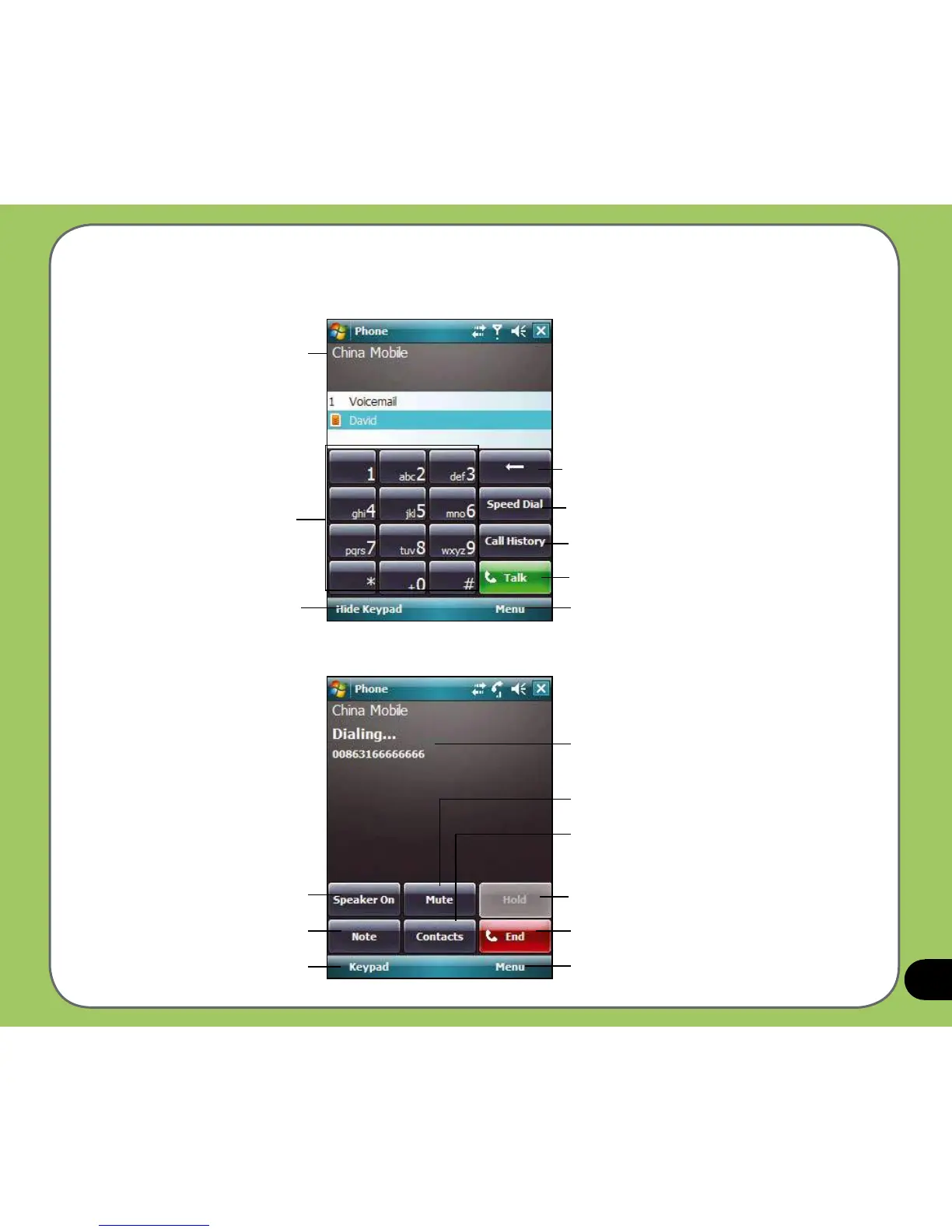
Tap to put a call on hold
Tap to end a call
Tap to launch Menu
Displays the current call status
Tap to put a call on mute mode
Tap to launch the Contacts list
Tap to launch numeric keypad
Tap to turn speaker ON/OFF
Tap to take notes
Phone pad features
Tap to delete number or symbol to the left
Tap to make a call
Tap to launch Menu
Tap to hide keypad and
display the Contacts list
Numeric keypad
Service provider
Tap to add/edit pre-assigned Speed Dial numbers
Tap to open call history



 To Next Page