84
NOTE:
Refer to the section
External GPS for details.
Travelog Setting
GPS Setting
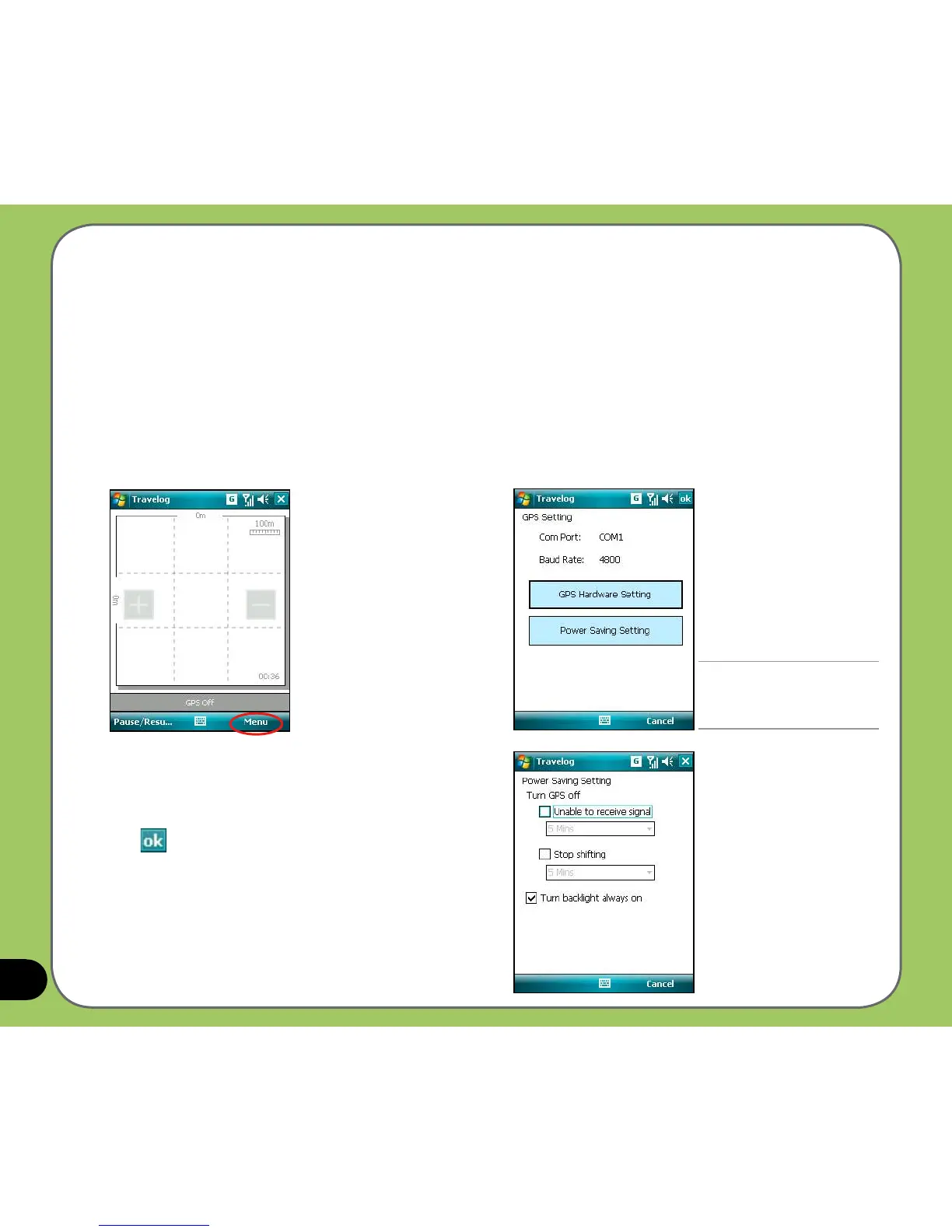
GPS Setting allows you to set GPS mode and power saving mode while using GPS.
To set GPS and power saving:
2. From the GPS setting screen the current
GPS setting is shown. You can tap GPS
Hardware Setting to change the settings.
3. Tap Power Saving Setting. Check the
ptions and set values at your preference.
4. Tap when nished.
1. From Track screen, tap Menu > Setting
> GPS Setting.



 To Next Page