80
Exporting Route
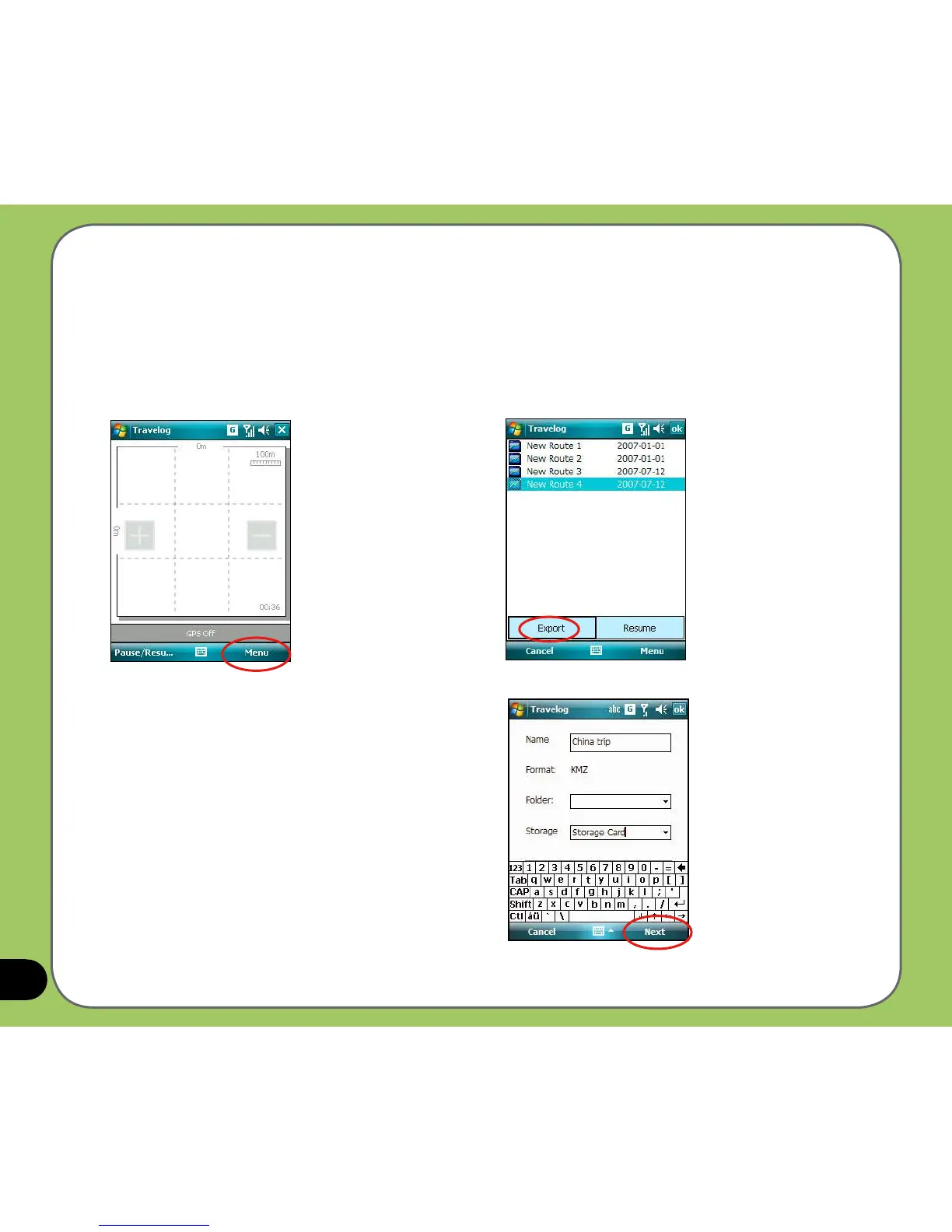
You can export your trip route into a KMZ le and load it to Google Earth.
1. From the Track screen,
tap Menu > My Favorite.
To export a route:
2. From the route list, select a route and tap
Export button.
3. Edit the route name and select the destination
folder and storage place, then tap Next.
You can also set export settings. Refer to the
Export Setting item in the Travelog Setting
section for details.



 To Next Page