67
Connecting GPRS
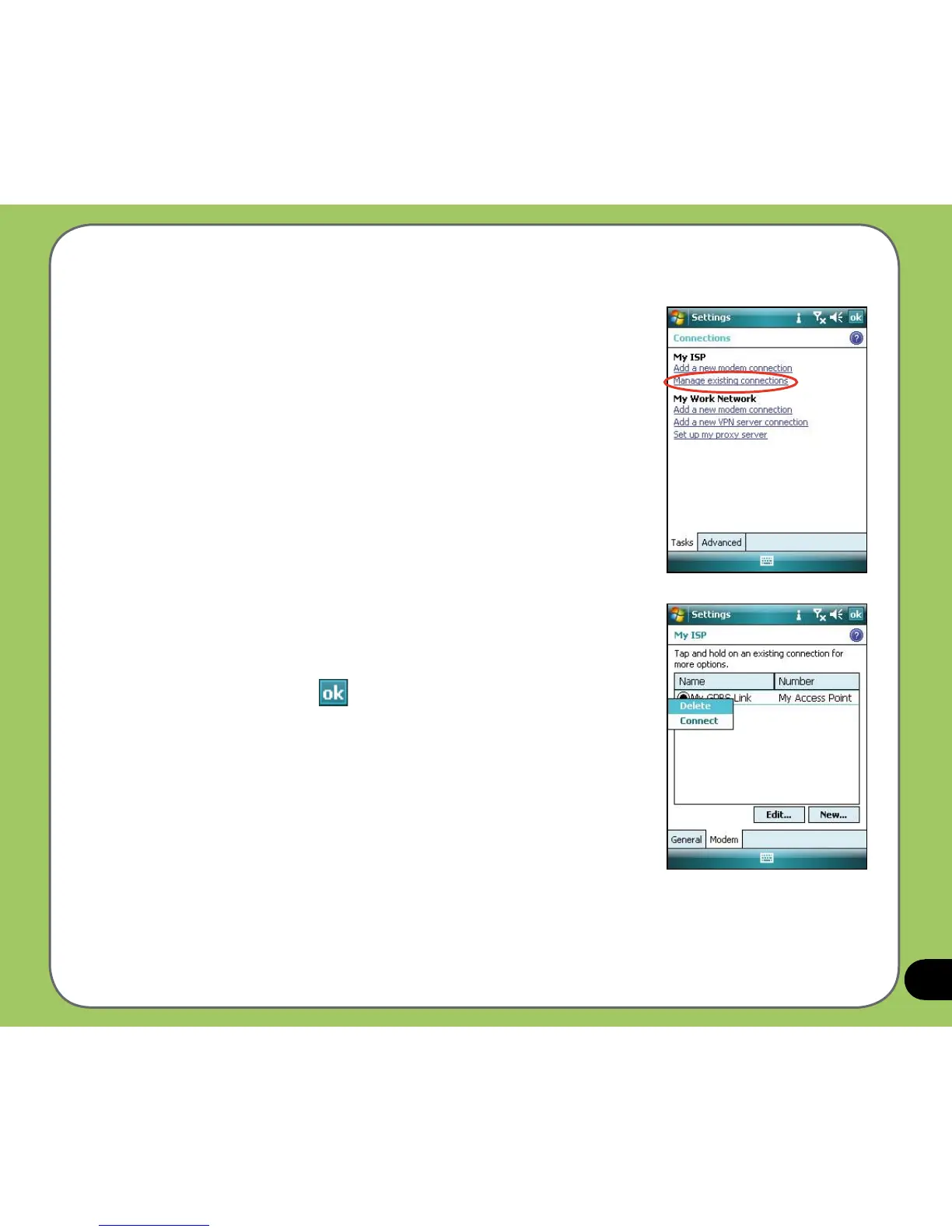
To connect GPRS:
1. From the Today screen, tap
Start > Settings > Connections
tab > Connections.
2. From the Connections screen, tap
Manage existing
connections.
3. Tap and hold on an existing connection then from the
pop-up menu tap Connect.
Tap
Delete if you want to delete the selected connection.
4. When connected, tap
to exit.



 To Next Page