64
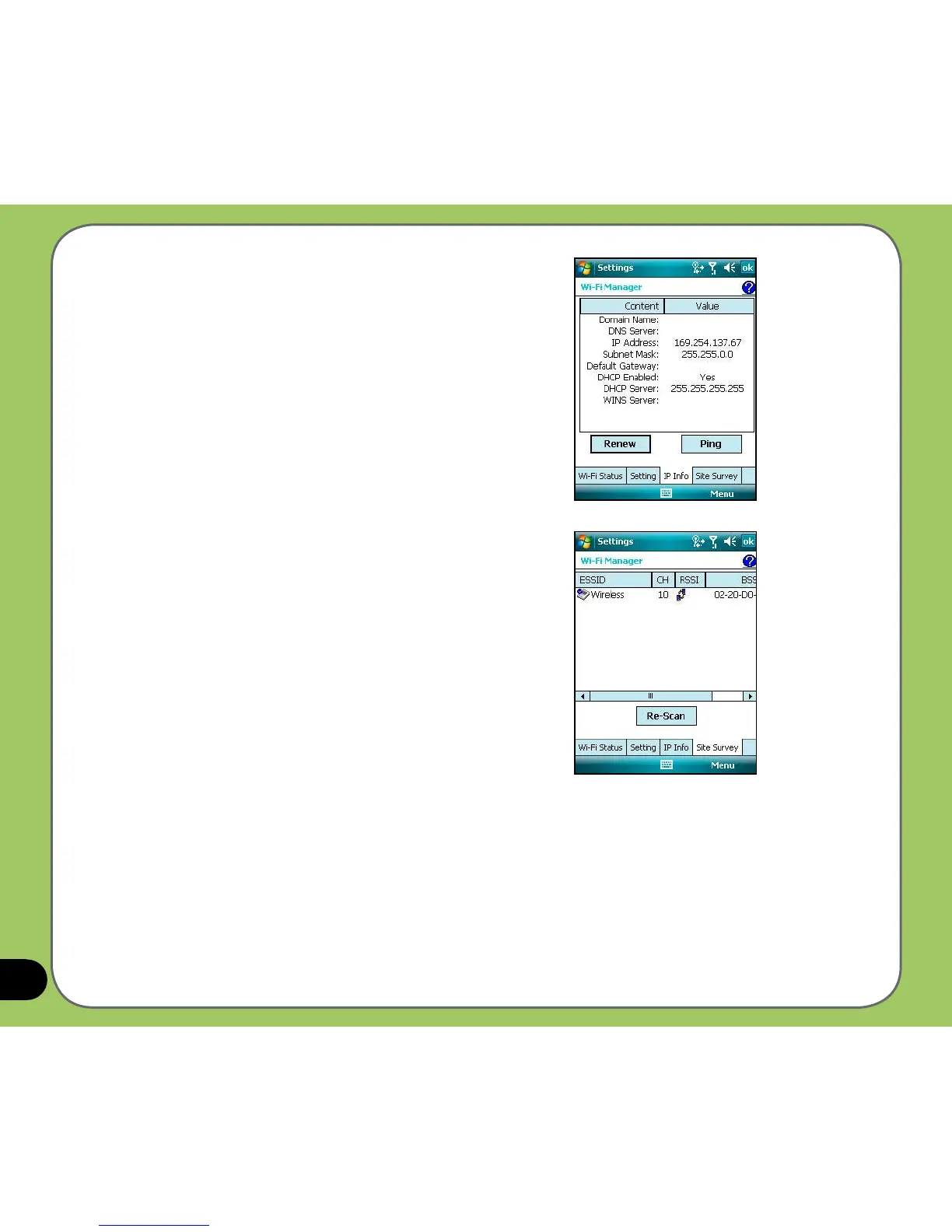
IP Info
This page shows the network information and
provides a way to get the new IP address from the
DHCP server.
The Renew button enables you to request the DHCP
server for a new IP address. This function would take
several seconds to get the new IP address.
The Ping button serves as the network’s diagnostic
tool. It enables you to detect if your device is
connected to the network.
Site Survey
This page shows the nearest available wireless
networks.
Each wireless network is preceded by an icon for
easy identication. The network channel,
RSSI, and BSSID are also displayed in columns.



 To Next Page