89
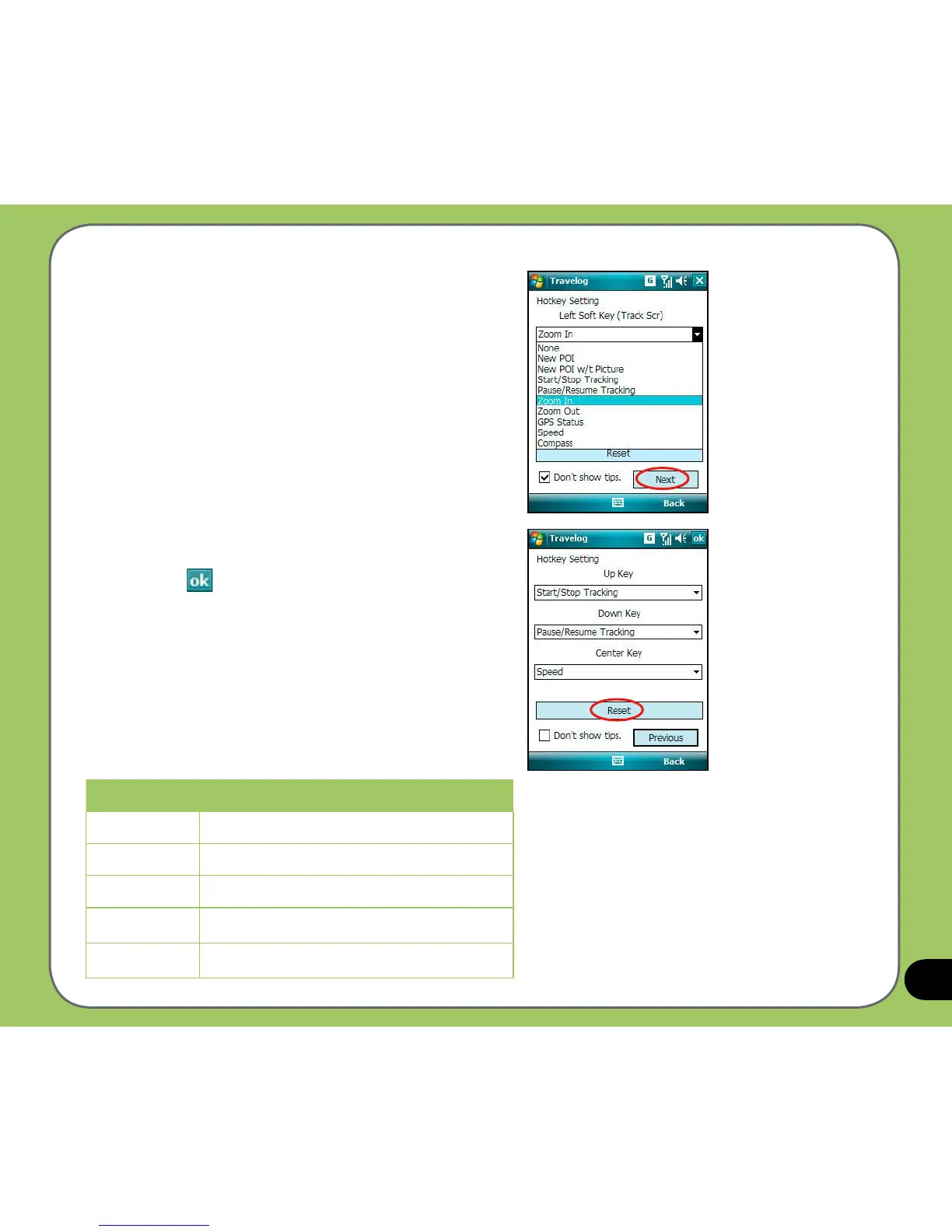
3. From the drop-down menu, select
functions that you want to assign to the
keys. Tap Next to continue.
4. From the drop-down menu, select
functions that you want to assign to the
keys. Tap
when nished.
You can also tap
Reset button to restore
the settings to default.
Keys Description
Left key Press the left navigation key.
Right key Press the right navigation key.
Up key Press the up navigation key.
Down key Press the down navigation key.
Center key Press the Enter/Action button.



 To Next Page