Chapter 2: Hardware Information
2-14
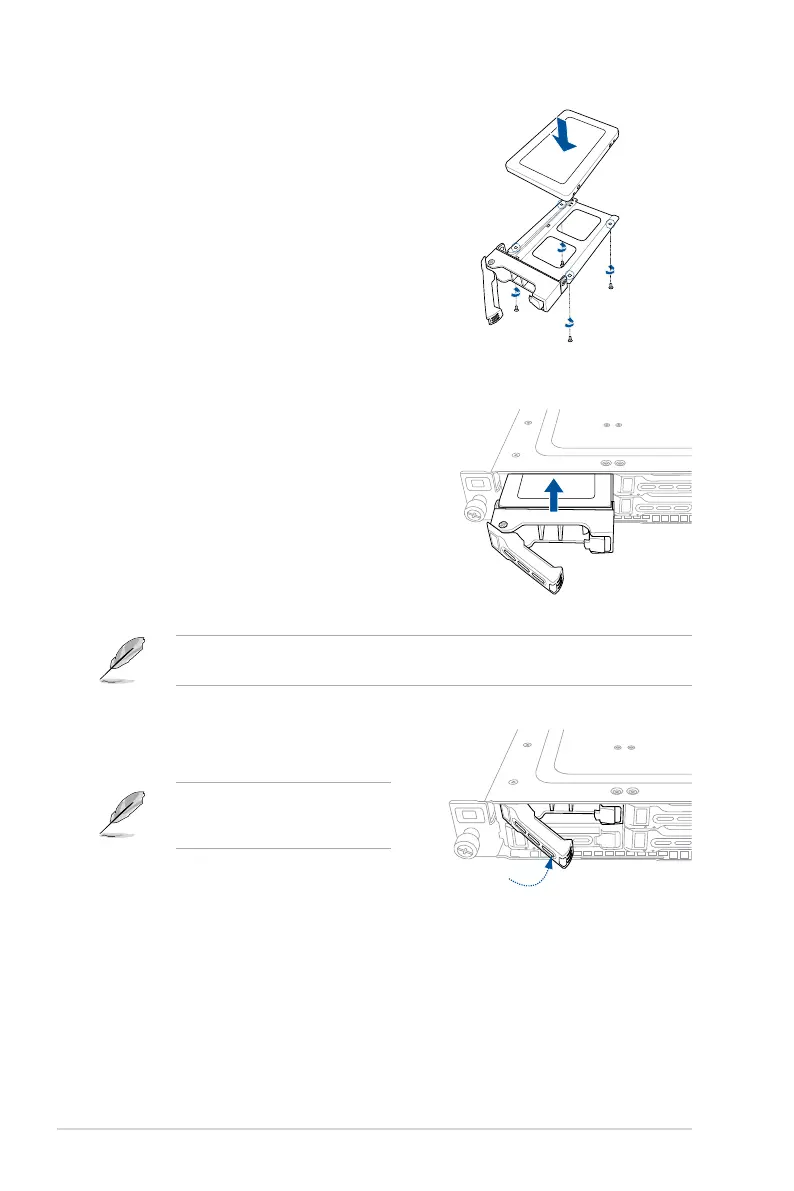
5. PlacetheSATA/SAS/NVMestorage
device into the tray then secure it with
four screws.
6. Insert the storage tray and storage
device assembly all the way into the
depth of the bay until just a small
fraction of the tray edge protrudes.
7. Push the tray lever until it clicks and
secures the storage tray in place.
The storage tray is correctly placed
when its front edge aligns with the
bay edge.
8. Repeatsteps1to7toinstalltheother
SATA/SAS/NVMestoragedevices.
Wheninstalled,theSATA/SAS/NVMeconnectoronthestoragedeviceconnectstothe
SATA/SAS/NVMeinterfaceonthebackplane.



 To Next Page