Chapter 2: Hardware Information
2-24
6. Prepare the ASUS HFI-OMNI card.
7. Remove the internal OMNI-PATH cable connector cap
from the internal OMNI-PATH cable.
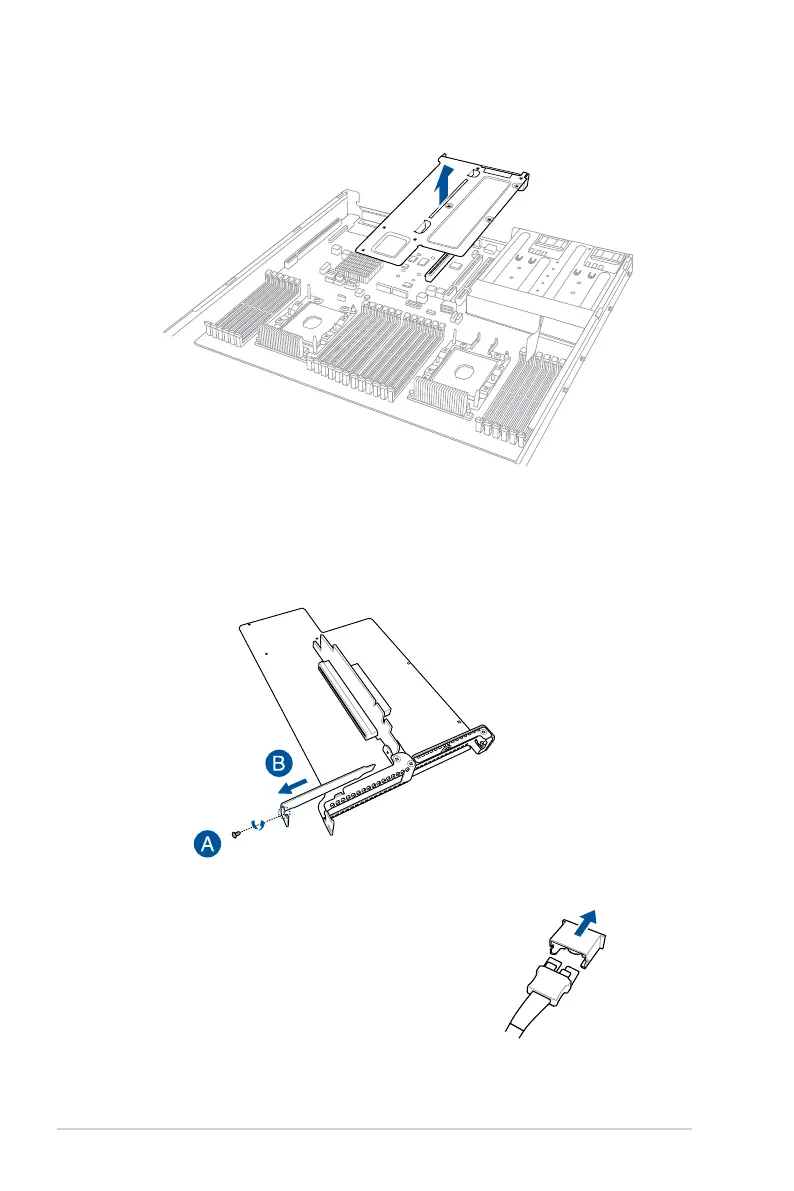
3. Firmlyholdthebutteryrisercardbracket,thenpullituptodetachitfromthePCIEx16
slot on the motherboard.
4. Placethebutteryrisercardbracketonaatandstablesurface.
5. Removethescrewfromthemetalcover(A),thenremovethemetalcover(B)fromthe
butteryrisercardbracket.



 To Next Page