Chapter 4: Motherboard Information
4-22
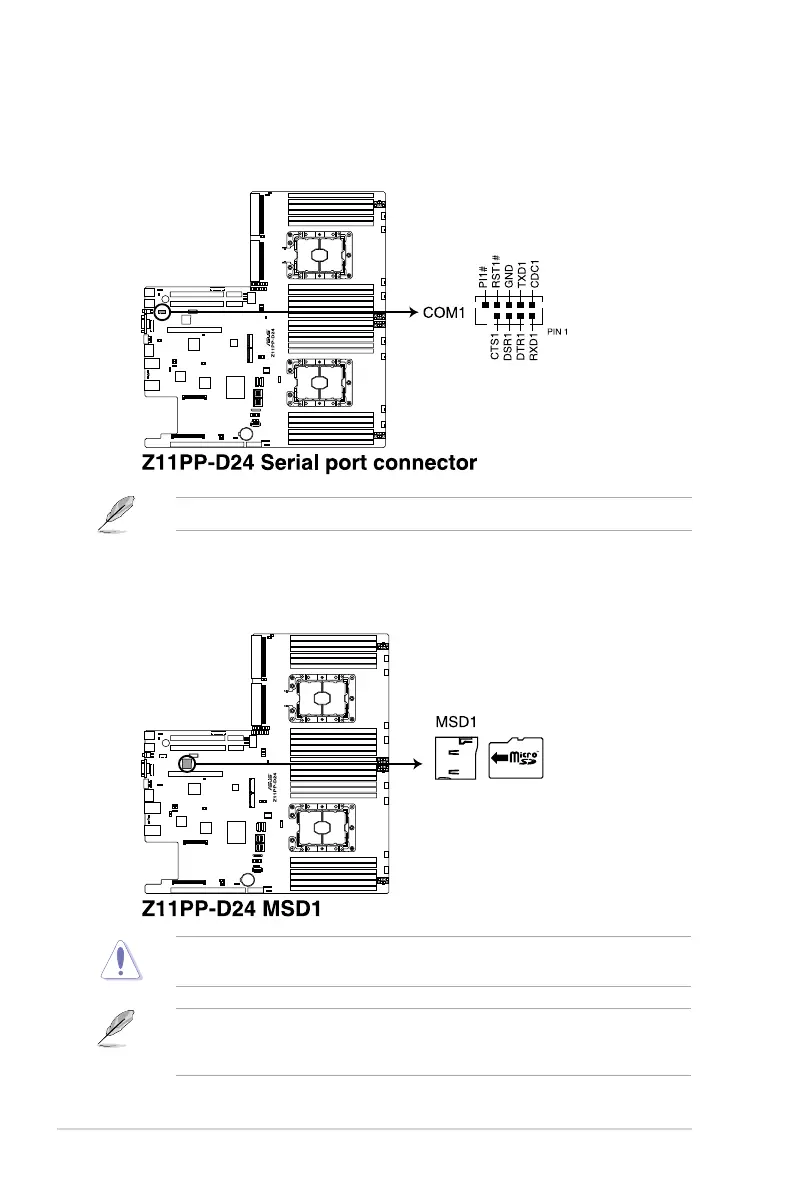
17. Serial port connector (10-1 pin COM1)
This connector is for a serial (COM) port. Connect the serial port module cable to this
connector, then install the module to a slot opening at the back of the system chassis.
The COM module is purchased separately.
18. Micro SD card slot (MSD1)
Your motherboard supports SD Memory Card v2.00 (SDHC) / v3.00 (SDXC).
Some memory cards may not be compatible with your motherboard. Ensure that you use
only compatible memory cards to prevent loss of data, damage to your device, or memory
card, or both.
Disconnect all power (including redundant PSUs) from the existing system before you add
or remove a Memory Card, then reboot the system to access the Memory Card.














 To Next Page