2-35
ASUS RS720-E12 Series
2.7.4 Installing a GPU card to riser card bracket 2 and 3
(for GPU model)
The illustrations below only show riser card bracket 2. Bracket 2 and bracket 3 are identical
and the steps below are applicable to both bracket 2 and 3.
To install a passive GPU (FH/FL) card to the riser card bracket 2 and 3:
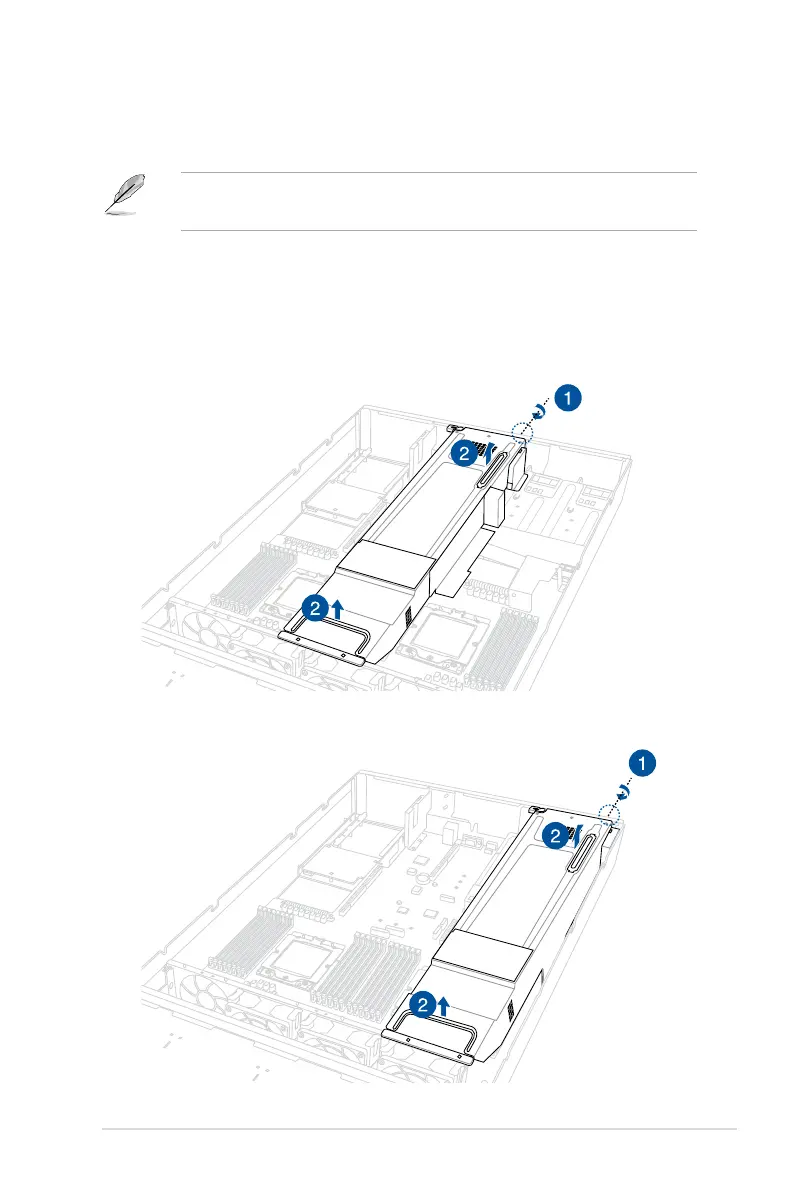
1. Loosen the thumbscrew securing the riser card bracket to the chassis.
2. Lift the riser card out of the chassis by firmly holding it by the tab and pulling it upwards
to detach it from the PCIe slot on the motherboard.
Riser card bracket 2
Riser card bracket 3



 To Next Page