2-43
ASUS RS720-E12 Series
2.7.7 Replacing an HBA/RAID expansion card to riser
bracket 4
You can install an HBA/RAID card to support SAS storage devices in your server system.
To install an HBA/RAID card:
1. Follow steps 1-3 of
Installing an expansion card to riser bracket 4
to remove riser
card bracket 4 from the chassis.
2. Prepare your HBA/RAID card.
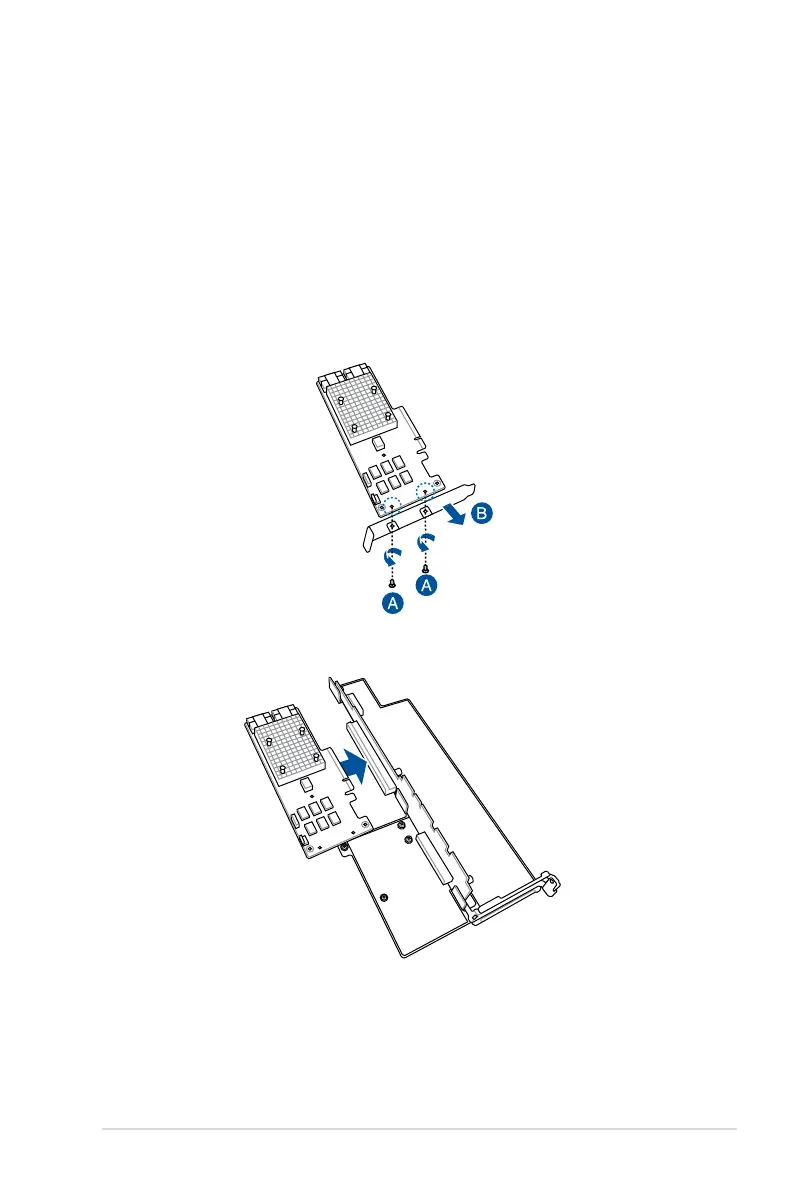
3. Remove the two (2) screws on the HBA/RAID card securing the metal bracket (A), then
remove the metal bracket (B).
4. Insert the HBA/RAID card to the
RS3_PCIE1
slot on the riser card bracket.



 To Next Page