31
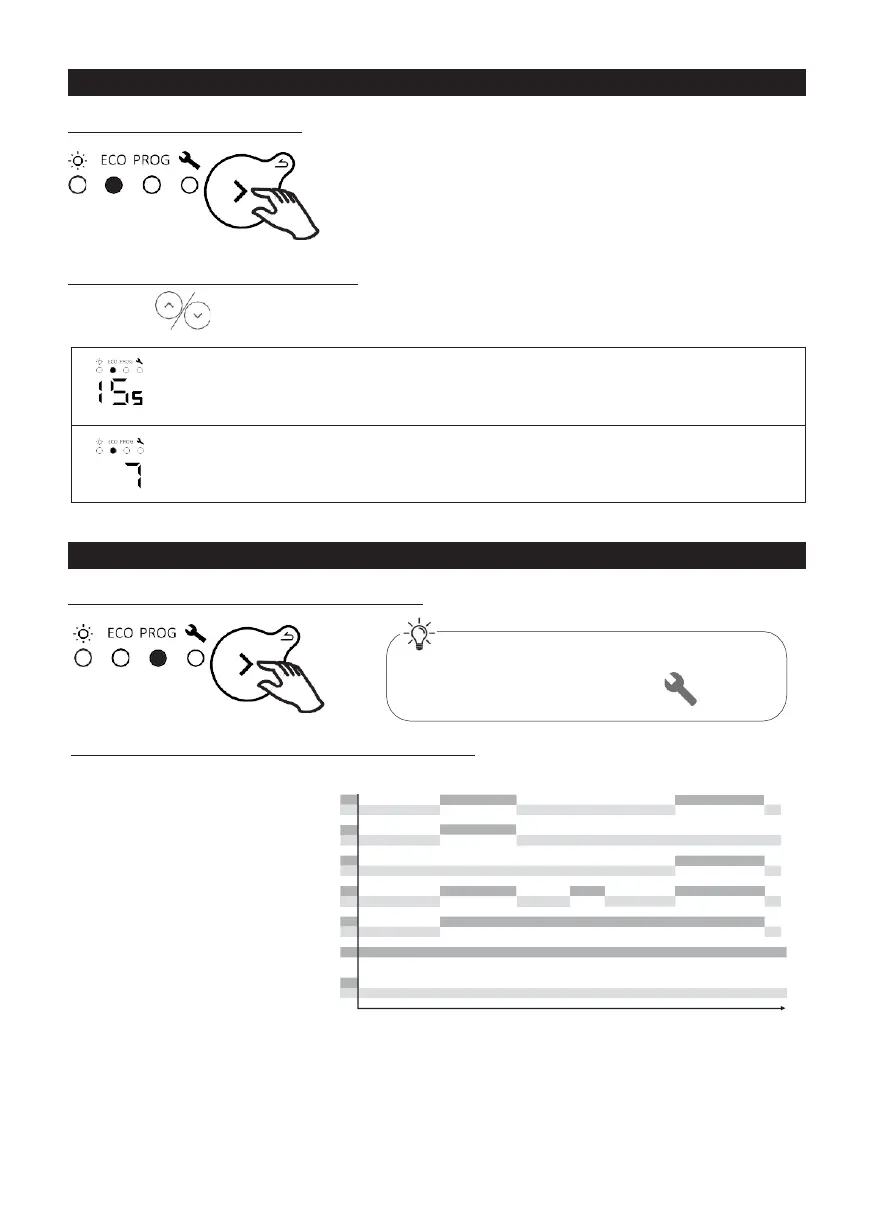
quick
quick
mode
buttons to set the temperature (desired temperature).
Increase or decrease from 10°C min. to 19°C max., in 0.5°C steps.
The maximum temperature is limited to 2°C below the Comfort
temperature.
Decrease further to 7°C (non-modifiable frost protection temperature).
PROGRAMMING MODE
Selecting Programming mode
Operating in Programming mode
The appliance has 7
(modifiable) programs which
define at what time of day
the appliance must follow the
Comfort temperature (Co,
temperature set in
Comfort
mode) or the Eco
temperature (Ec, Comfort
temperature
- 2°C).
00:00 06:00
12:00
18:00
24:00
To use programming mode, you must first
set the time and day in Settings
.











 To Next Page