34 ©2008 • All rights reserved.
DLA2/4/6 Speaker Level Audio Router
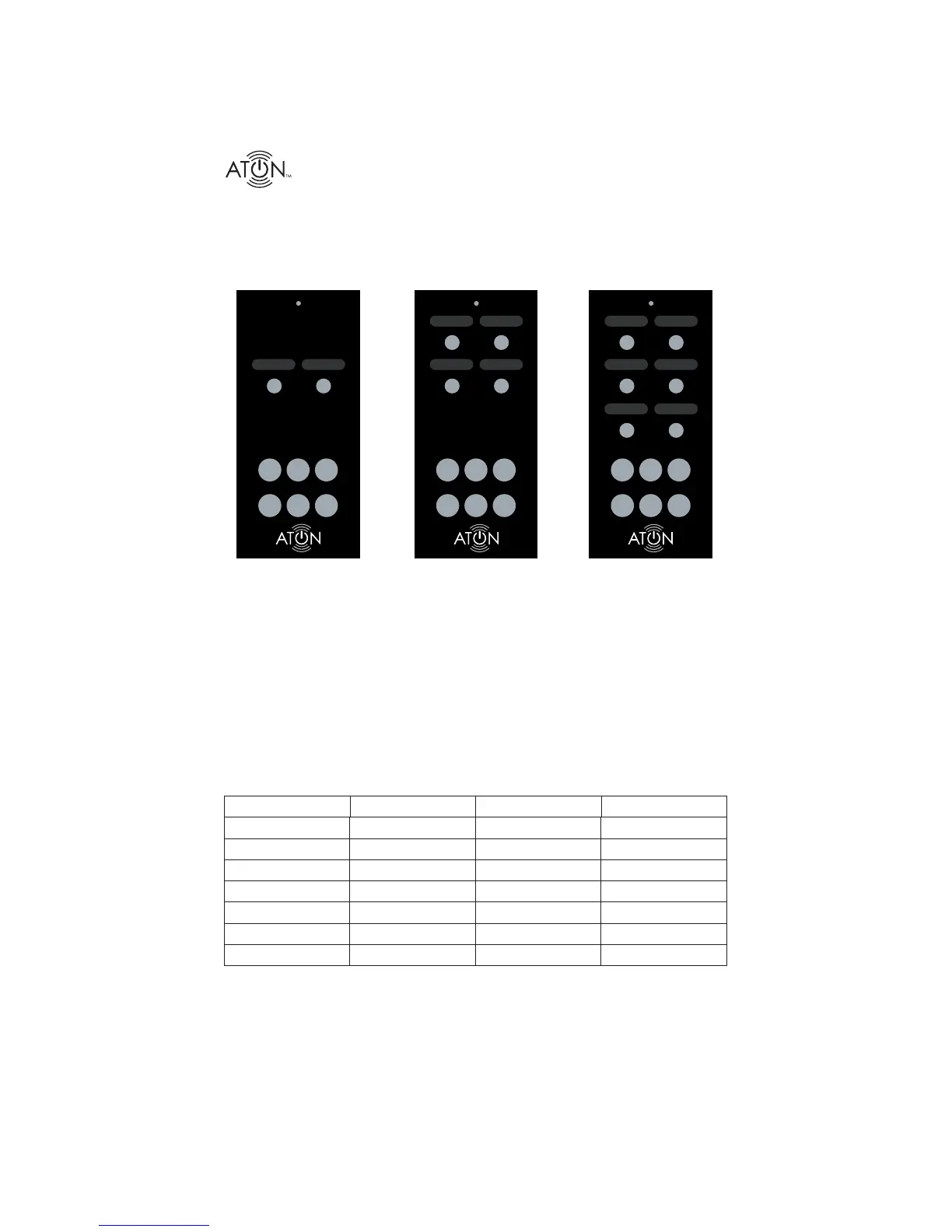
Additional RF Remotes (DLA2RM, DLA4RM, DLA6RM)
Up to six additional DLA RF Remotes can be added to an exisiting RF receiver, providing conve-
nient RF control for the entire family. Programming additional remotes can be accomplished in a
matter of seconds. See the DLA RF Remote Instruction Sheet for more information.
ROOM 1 ROOM 2 ROOM 3 ROOM 4
ROOM 1 ROOM 2 ROOM 1 ROOM 2
ROOM 3 ROOM 4
ROOM 5 ROOM 6
1
ALL
ON
SCENE
VOL
+
ALL
OFF
MUTE
–
VOL
ALL
ON
VOL
+
ALL
OFF
MUTE
–
VOL
ALL
ON
VOL
+
ALL
OFF
MUTE
–
VOL
2
12
34
12
34
56
DLA2RM DLA4RM
DLA6RM
SCENE SCENE
Figure C-6: DLA2RM, DLA4RM, DLA6RM
Option #3: Third-Party Universal/Learning Remote Control
The DLA2/4/6 can be controlled with virtually any brand of universal/learning remote by down-
loading DLA discrete IR codes from ATON’s website; www.atonhome.com. These codes can then
be imported into most universal/learning remote software applications and transferred into the
universal remote.
Tables C-2 through C-4 list all of the available DLA IR codes.
LOCAL
These commands control only the room that a single IR receiver is connected to.
Local Power On FOB Volume Up Local Volume = 1 Local Volume = 9
Local Power Off FOB Volume Down Local Volume = 2 Local Volume = 10
Local Power Toggle FOB Mute Toggle Local Volume = 3 Local Volume = 11
Local Set Default FOB All On Local Volume = 4
Local Set Override FOB All Off Local Volume = 5
Local Mute On FOB Scene Local Volume = 6
Local Mute Off Local Volume = 7
Local Mute Toggle Local Volume = 8
Table C-2: DLA Discrete IR Code Set - Local
Note: Local Commands control only one room at a time. Do not atttempt to “daisy chain” one IR
receiver into multiple Room IR Inputs as this will cause erratic system behavior.


 To Next Page