2 ©2008 • All rights reserved.
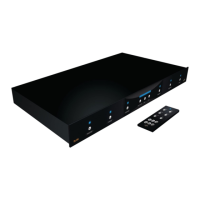
DLA2/4/6 Speaker Level Audio Router
Contents
Safety Information ...................................................................... 1
1. Introduction .............................................................................. 3
Features ........................................................................................ 4
ATON DLA2/4/6 Accessories ...................................................... 4
Front Panel ................................................................................... 5
Rear Panel..................................................................................... 6
2. System Design Overview ...................................................... 7
Standard Audio/Video or Stereo Receiver ................................. 8
Zone 2 Output of an A/V or Stereo Receiver.............................. 9
External Ampli er ...................................................................... 10
Sub-Zone of a Multi-Room Controller ....................................... 12
3. Connections ........................................................................... 13
AMPLIFIER INPUT ....................................................................... 13
SPEAKER OUTPUTS .................................................................... 14
IR EMITTER OUTPUTS ................................................................ 15
ROOM IR INPUTS ........................................................................ 15
DLA Touchpad Connections ...................................................... 16
PWR IN Connection
................................................................... 16
SENSE INPUT Connections .........................................................17
PAGE/DB TRIGGER IN Connections .......................................... 18
IMPEDANCE MATCH DIP Switches ........................................... 19
4. Settings & Operation .......................................................... 20
Volume Settings ........................................................................ 20
Receiver/Ampl er Volume Settings ..................................... 20
Volume Status Bar .................................................................. 20
Room Volume Adjustment ...................................................... 21
ALL ON/OFF ................................................................................ 22
Max Turn On Volume .................................................................. 22
PAGE/DB Volume Level .............................................................. 23
Scene Presets ............................................................................. 25
Setting a Scene ....................................................................... 25
Recalling a Scene Preset ........................................................ 25
5. Troubleshooting ..................................................................... 26
Appendix A: Speci cations .................................................... 29
Appendix B: Room Identi cation Labels ........................... 30
Appendix C: Remote Control Options .................................... 31
Appendix D: REKT Rack Ear Kit (Optional) ........................37
Limited Warranty .......................................................... Back Page


 To Next Page