Getting Started
Accessing Citrix Services
25
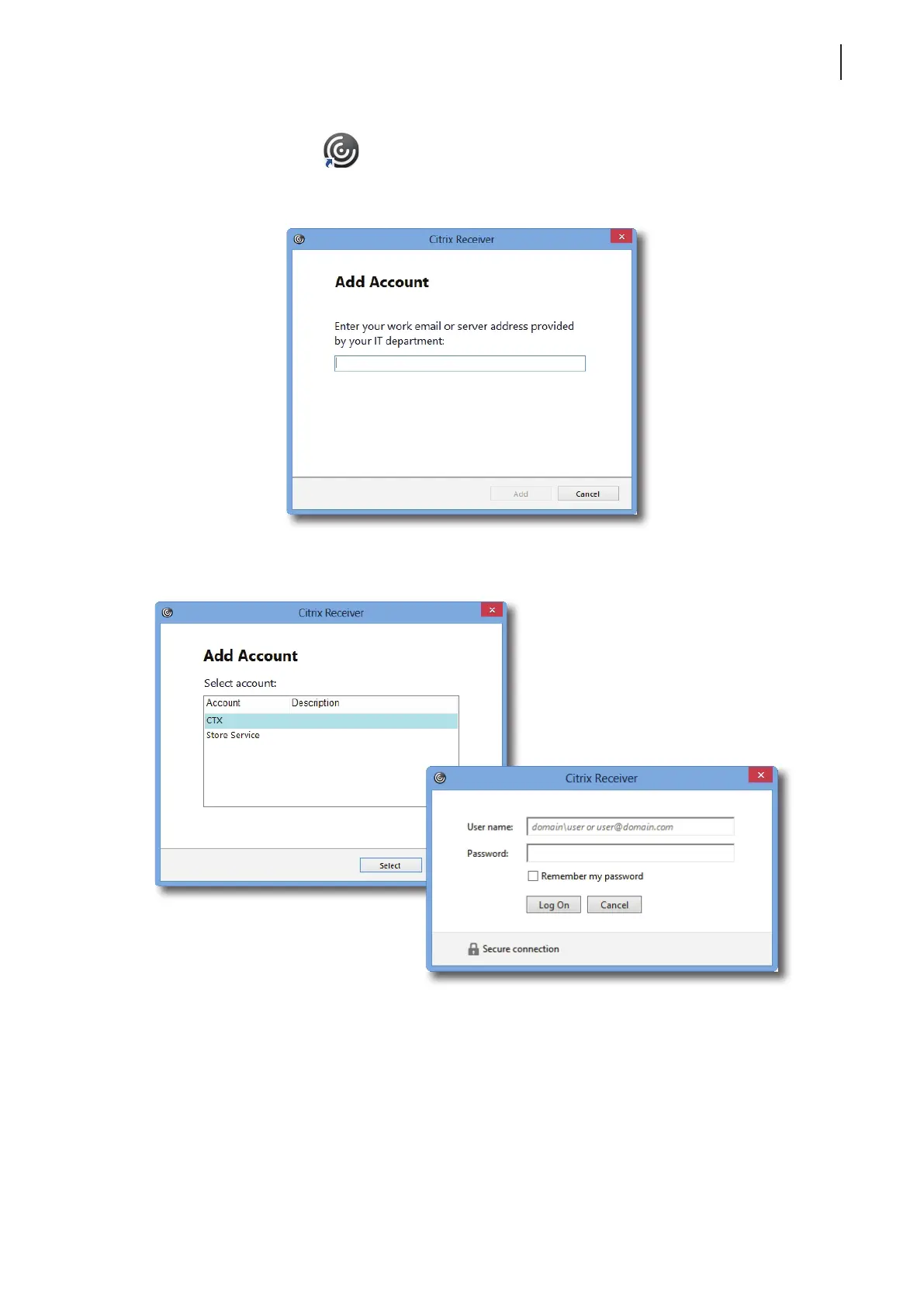
2. Double click Citrix Receiver
on the desktop.
3. A window appears prompting for the work email or server address. Consult your IT administrator for proper
information to provide here, enter the required data, and then click Add to continue.
4. Select the desired store account if more than one store is available, type credentials in the opened window,
and then click Log On.



 To Next Page