3
Multiformat switcher MS-8 Reference Manual
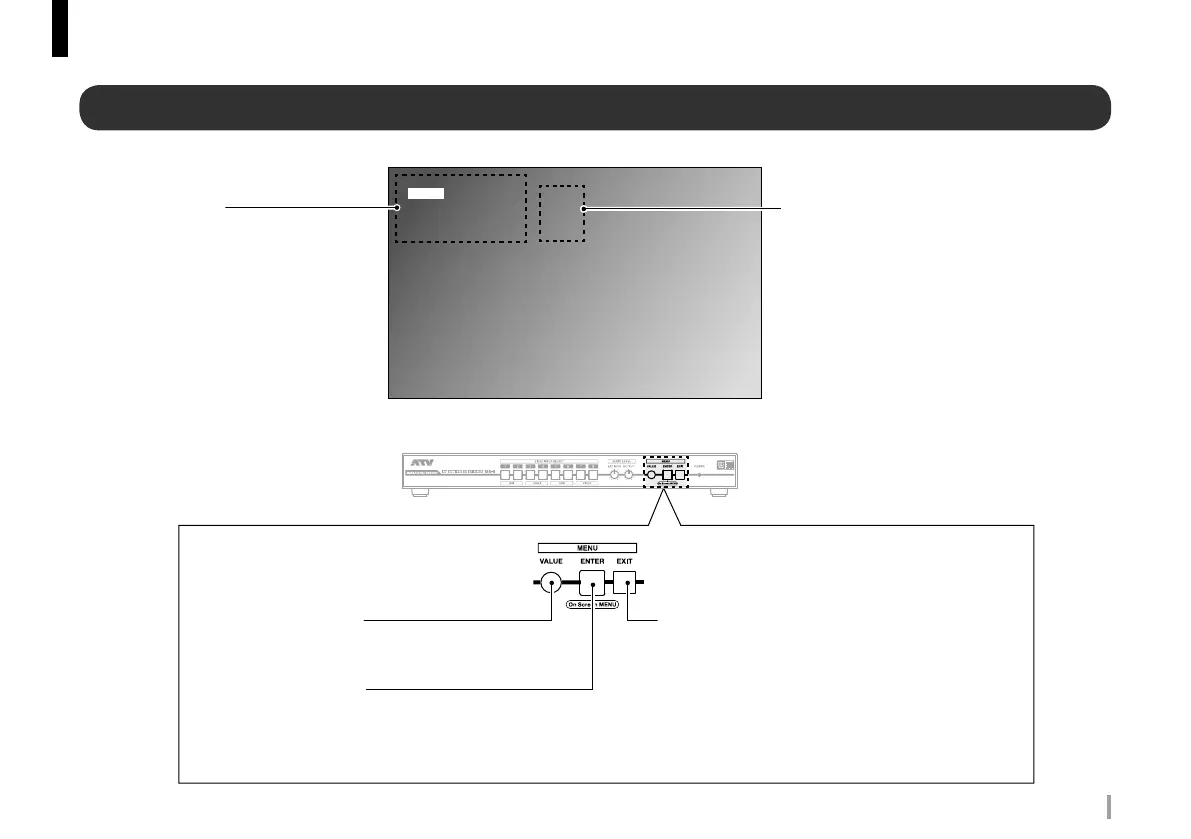
Parameter name
Display parameter groups and parameter
names.
The selected item is highlighted.
Output video
Parameter value
Display the parameter value.
ENTER: Press the Enter button to display menu for
that group.
RESET: Press the Enter button to reset the parameter
values for that group to default.
MENU
Input ENTER
Ext Audio Input ENTER
Output ENTER
Ext Audio Output ENTER
System ENTER
Input
Front Panel
MENU EXIT button
When at the top of the hierarchy: Hide the onscreen menu.
When a parameter name is selected: Move up one level.
When a parameter value is selected: Cancel editing.
MENU VALUE button
When a parameter name is selected: Select an item.
When a parameter value is selected: Select the value.
MENU ENTER button
When the onscreen menu is hidden: Display the onscreen menu.
When a parameter name is selected: Edit the parameter value.
When a parameter group is selected: Move down one level.
When a parameter value is selected: Store the current value.
Screen names and operation
Onscreen menu



 To Next Page