17
wipe the nozzle gently with a clean cloth. Then, clean the dust on the welding
head; in a relatively clean environment, pull out the drawer and check whether
the protective lens is clean. When the welding head is not in use, plug the
copper nozzle with tape or a rubber cap to prevent dust from entering the
lens. If you unplug the fiber connector, immediately block the hole of the
fiber input connector (QBH) with a dust cap to prevent dust from entering the
fiber connector.
Clean the lens
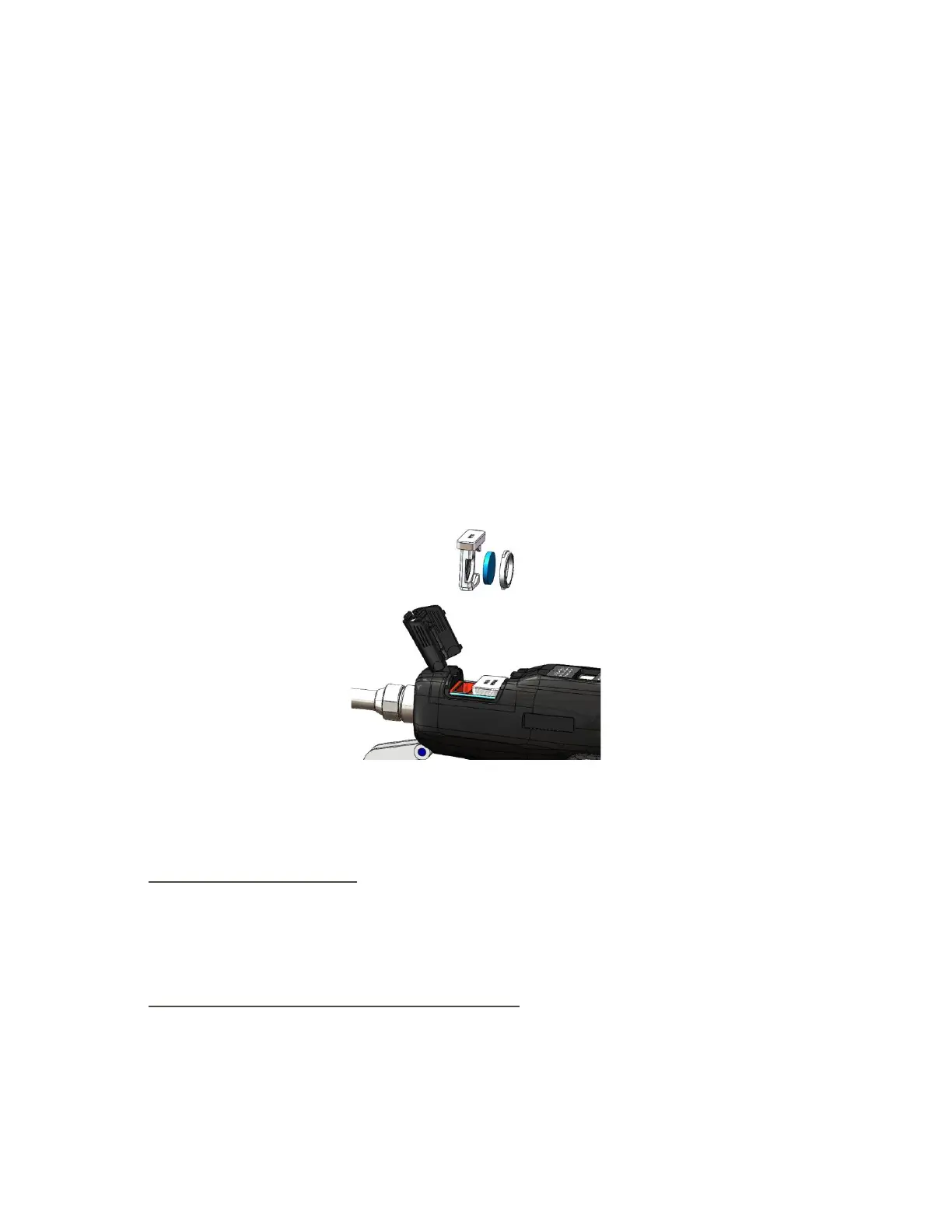
There is a protective lens at the front of the welding head to protect the
focusing lens. When impurities or foreign matters are attached to the
protective lens, the lens will be damaged. Therefore, the lens needs to be
maintained regularly. It is recommended to check it before each use. Please
refer to Figure 9 for lens structure.
Figure 9 HW980 protective glass module split diagram
■ Lens cleaning tools:
Dust-proof gloves or finger cots, polyester cotton swabs, absolute ethanol,
rubber air blower (clean compressed air), etc.
■ Lens cleaning method and Precautions:
(1);Wear finger cots on the thumb and index finger of the left hand;
(2)Spray ethanol on the polyester cotton swab;



 To Next Page