25
module
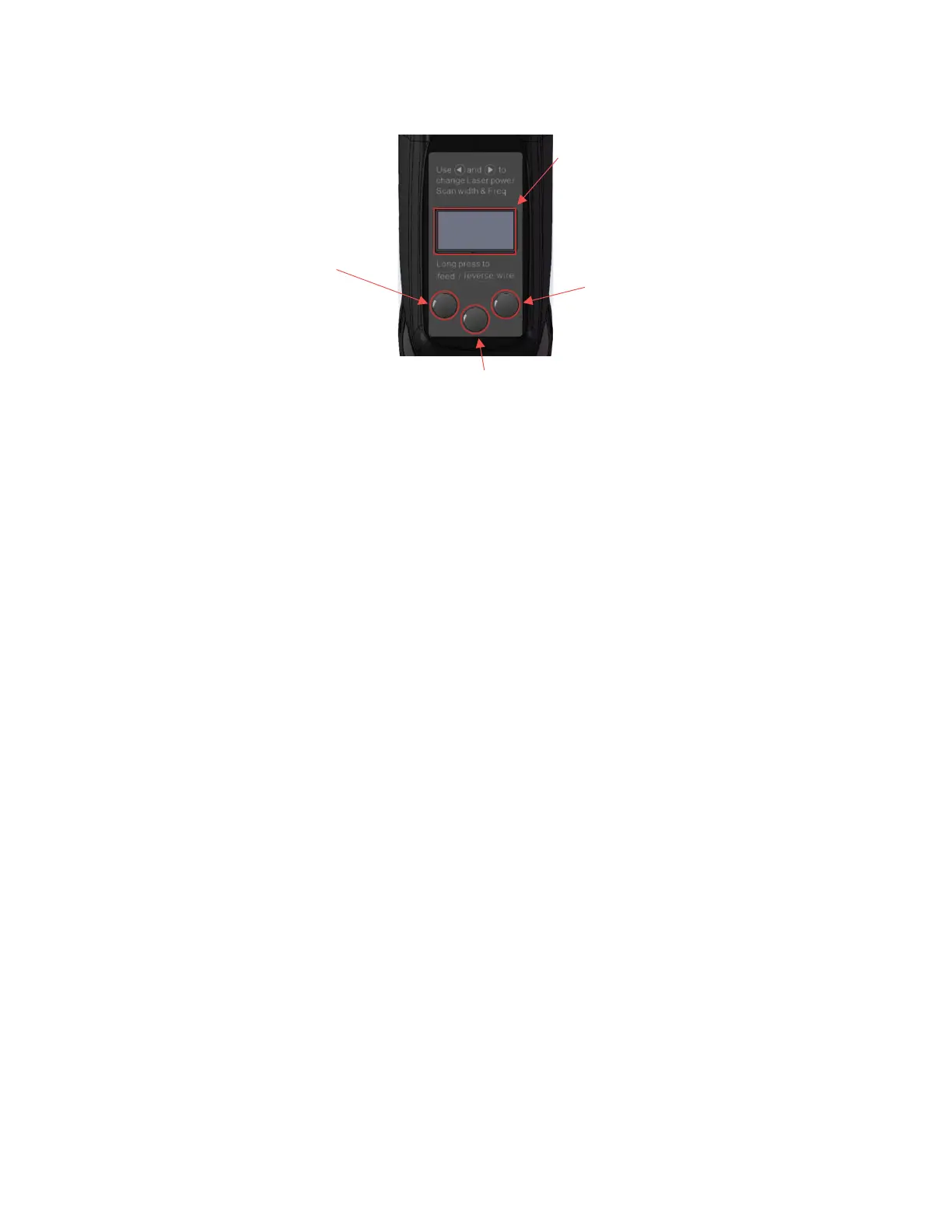
1. Display screen: Display parameter functions and other human-computer
interaction interfaces.
2. OK button: short press to enter the parameter editing state. Each time you
press it, the next parameter item is selected. When the selected parameter
flashes, set the parameter by the left or right button. If no button is pressed
within 5 seconds or the parameter is not set, it returns to non-editing status
and the parameter stops flashing.
3. Left button: Press to decrease parameter value or switch function state in
parameter editing state. Long press in the non-editing state to turn on the
wire feeding function, and release it to stop the wire feeding.
4. Right button: Press to increase the parameter value or switch the function
state in the parameter editing state. Long press in the non-editing state to
turn on the wire rewinding function, and release it to stop wire rewinding.
Function introduction
⚫ 1. Communication status: (status: normal\disconnected)
⚫ Shows whether the wireless connection is successful. "Normal" means
that the wireless communication is connected, and "disconnected" means
that the wireless communication is not connected.



 To Next Page