35
page interface. Under the home page interface, you can enter the system
settings, start welding, and controller configuration interfaces.
2.2 System Setting Interface
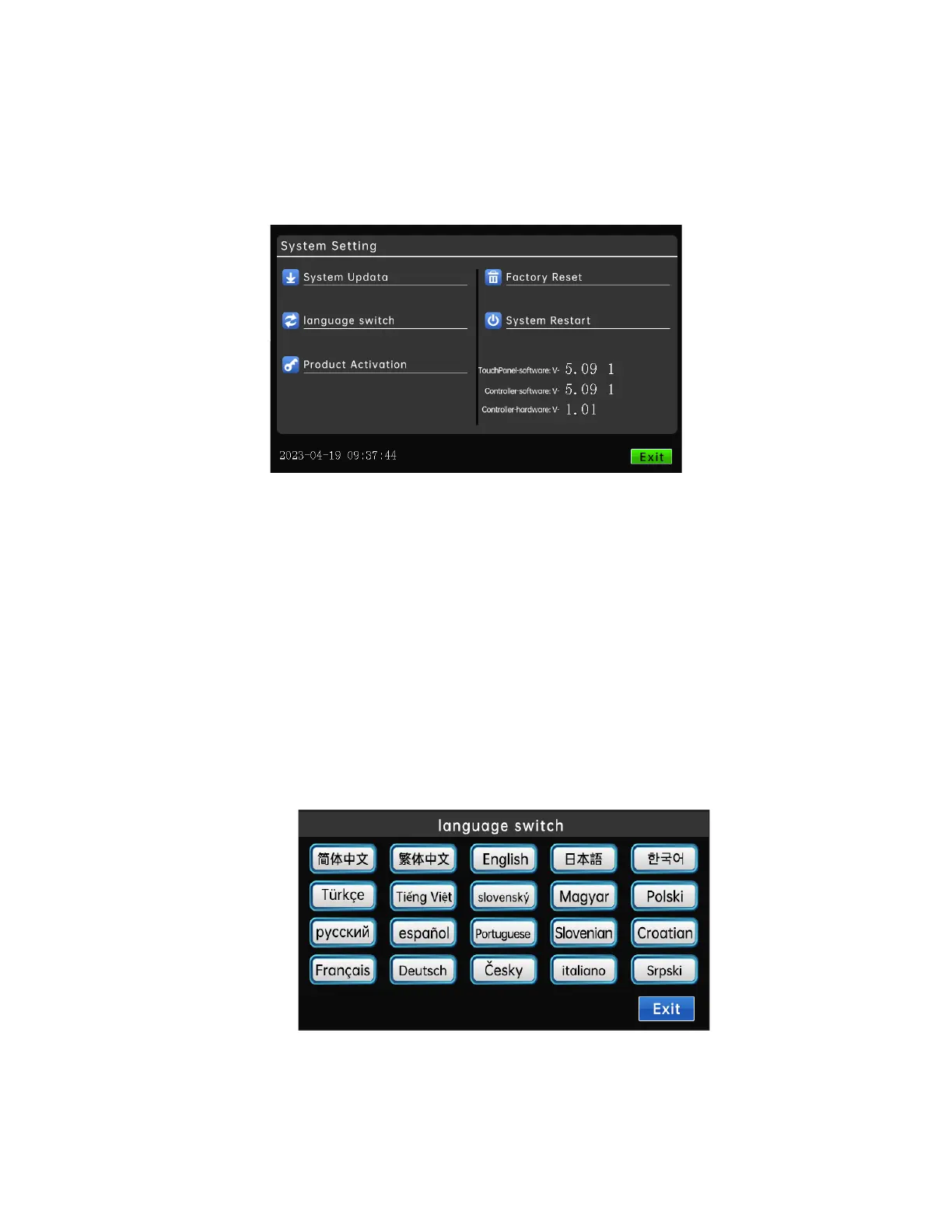
Click the "System Settings" button under the home page interface to enter
the system settings interface.
"System Upgrade": Please refer to the program update part for details.
"Language switch": This system supports simplified Chinese, traditional
Chinese, English, Japanese, Korean, Turkish, Vietnamese, Slovak, Hungarian,
Polish, Russian, Spanish, Portuguese, Slovenian, Croatian, French, German.
After clicking Language Switch, click the required language, and the language
will be displayed on all system interfaces



 To Next Page