5.3.2.1. Multi-turn actuator with output drive type A: mount
1. If output drive type A is already mounted to the multi-turn actuator: Loosen
screws [3] and remove output drive type A [2].
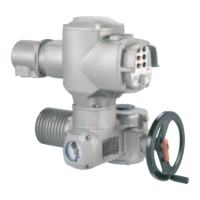
Figure 12: Multi-turn actuator with output drive type A
[1] Multi-turn actuator
[2] Output drive type A, from left to right:
with finish-machined, unbored and pilot bore stem nut
[3] Screws to multi-turn actuator
Information
For an unbored or pilot bore stem nut, the stem nut must be finish machined prior
to mounting valve stem and prior to performing the following steps. ➭ page 20, Stem
nut for output drive type A: finish machining
2. Apply a small quantity of grease to the valve stem.
3. Place output drive type A [2] on valve stem and turn until it is [4] flush on the
valve flange.
4. Turn output drive type A [2] until alignment of the fixing holes.
5. Fasten screws [5] between valve and output drive type A [2] without completely
tightening them.
Figure 13:
18
SA 07.2 – SA 16.2/SAR 07.2 – SAR 16.2 Control unit - electromechanical
Assembly AC 01.2 Intrusive Modbus RTU



 To Next Page
 Loading...