9. Commissioning
9.1 Switch compartment: open
The switch compartment must be opened to perform the following settings (options).
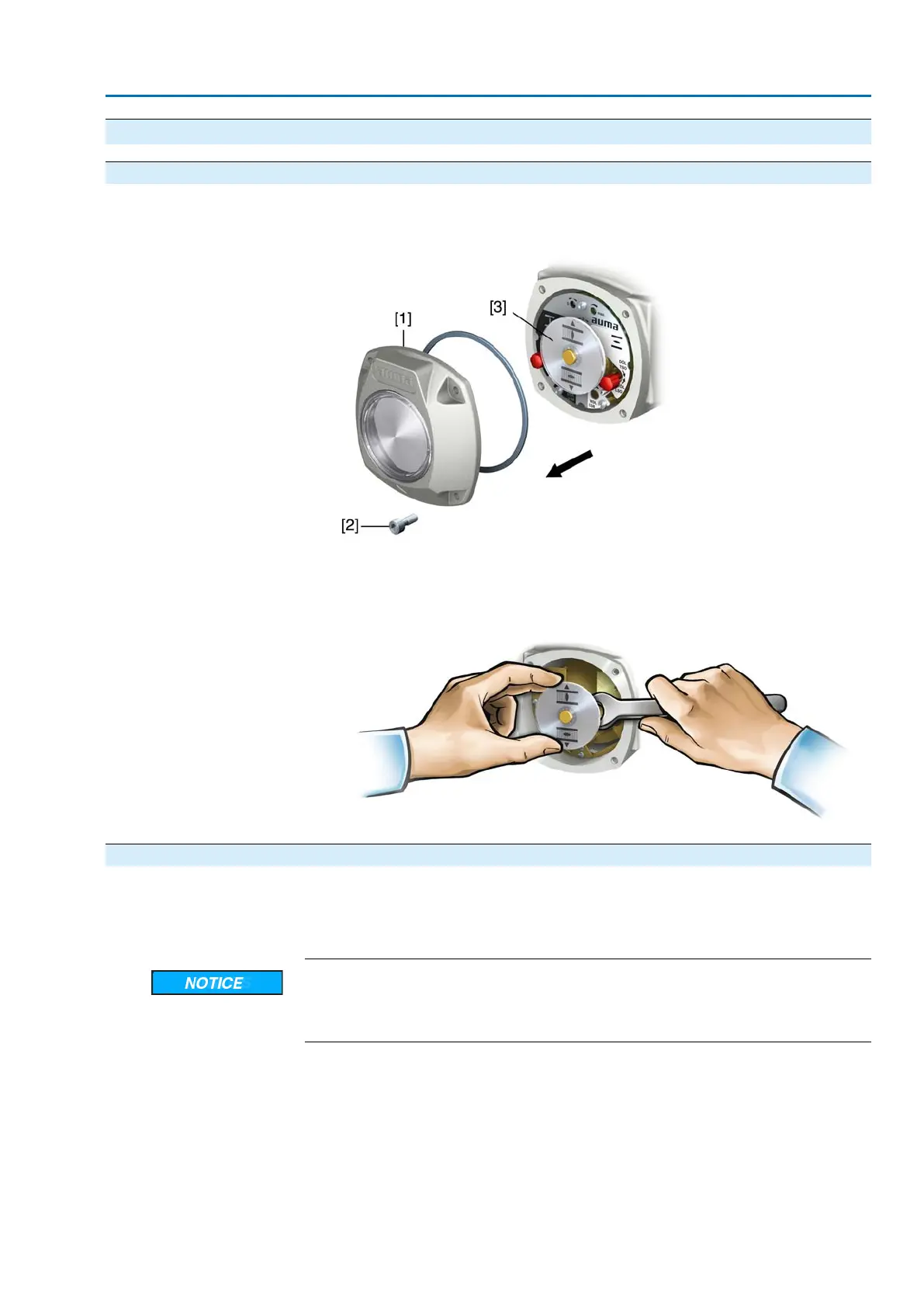
1. Loosen screws [2] and remove cover [1] from the switch compartment.
2. If indicator disc [3] is available:
Remove indicator disc [3] using a spanner (as lever).
Information: To avoid damage to paint finish, use spanner in combination with
soft object e.g. fabric.
9.2 Torque switching: set
Once the set torque is reached, the torque switches will be tripped (overload protection
of the valve).
Information The torque switches may also trip during manual operation.
Valve damage due to excessive tripping torque limit setting!
→
The tripping torque must suit the valve.
→
Only change the setting with the consent of the valve manufacturer.
25
SA 25.1 – SA 48.1/SAR 25.1 – SAR 30.1
Commissioning



 To Next Page