2. Refer to table and check if turns/stroke of the actuator correspond to the setting
of the reduction gearing (stages 1– 9).
If the setting is not correct: continue with step 3.
If the setting is correct: continue with step 6.
MS5.2 control unit (1 to 500 turns per stroke)
Gear stageTurns/stroke above – to
11.0 – 1.9
21.9 – 3.9
33.9 – 7.8
47.8 – 15.6
515.6 – 31.5
631.5 – 62.5
762.5 – 125
8125 – 250
9250 – 500
MS50.2 control unit (10 to 5,000 turns per stroke)
Gear stageTurns/stroke above – to
110.0 – 19.5
219.5 – 39.0
339.0 – 78.0
478 – 156
5156 – 315
6315 – 625
7625 – 1,250
81,250 – 2,500
92,500 – 5,000
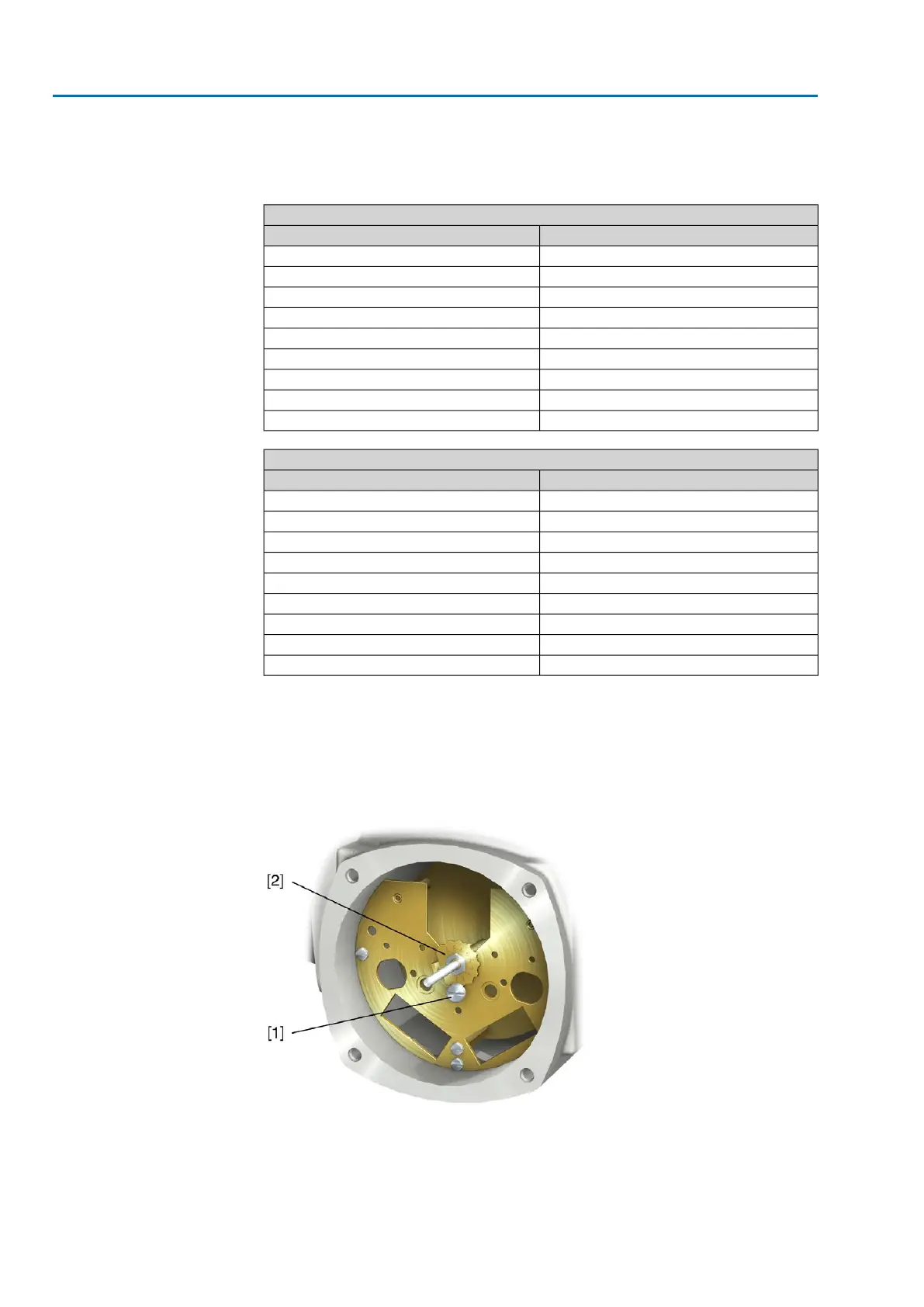
3. Loosen screw [1].
4. Set crown wheel [2] to desired stage according to table.
5. Tighten screw [1].
6. Place indicator disc on shaft.
7. Set mechanical position indicator.
Figure 86: Control unit with reduction gearing
[1] Screw
[2] Crown wheel
76
SAVEx 07.2 – SAVEx 16.2 / SARVEx 07.2 – SARVEx 16.2 Control unit: electronic (MWG)
Commissioning (settings/options in the actuator) ACVExC 01.2 Non-Intrusive Modbus RTU



 To Next Page