Clou Pellet / Clou Compact Pellet User instruction 9 English
your pellet stove reliably using the timer function, you must therefore empty the burn pot of residues
in good time.
IMPORTANT:
Make sure that the burn pot is emptied and cleaned daily after operation. Special attention should be
paid to cleaning the openings in the bottom of the burn pot. These must be completely cleaned of dirt
at regular intervals. The combustion air flows through these holes. Only when they are unclogged will
your pellet stove burn cleanly.
3.1.5 Service due
Your pellet stove must be serviced regularly. The need for a service is determined by an integrated op-
erating hours counter. The operating hours can be viewed on your Austroflamm service engineer's dis-
play or via the optional WLAN-BOX with the Austroflamm PelletControl app.
After the maintenance-free operating period has expired, you will receive the alarm message A002.
The stove may continue to be operated for a short time after this alarm message appears. However,
please call your authorised Austroflamm service engineer as soon as possible to carry out the neces-
sary service. During the service, your stove will be thoroughly cleaned and the operating hours counter
reset to 0.
3.1.6 Specifying modulation / ECO mode
You can operate your pellet stove either in modulation mode or in ECO mode.
In "modulation mode" (ECO mode is deactivated), your stove gradually reduces the heat output to the
lowest level when the room setpoint temperature has been reached. However, it does not switch off
despite reaching the desired room temperature. If the setpoint room temperature is not reached at
this reduced heat output, the stove will start to work again with the heat output that was originally set.
Your stove is delivered in modulation mode as standard.
The ECO mode can be activated by your authorised Austroflamm service engineer or by yourself via
the optional WLAN-BOX and the Austroflamm PelletControl app.
When the ECO mode is activated, the stove switches off once the desired room setpoint temperature
(plus a freely selectable temperature value / stop temperature value) has been reached. If the temper-
ature falls below the room setpoint temperature (plus a freely selectable temperature value / restart
temperature value), the stove switches on again automatically.
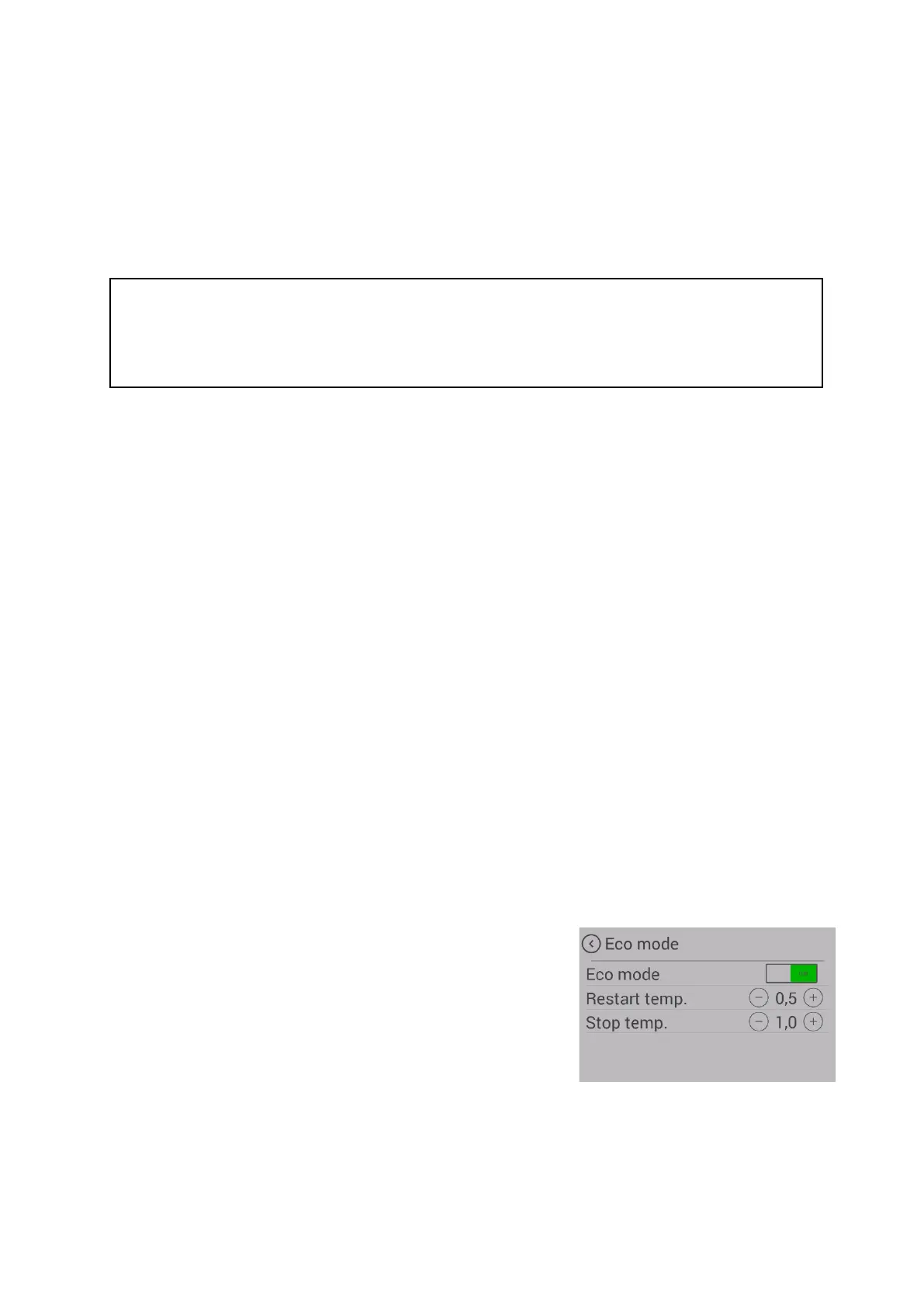
The "restart temp." value indicates the value below the setpoint
temperature at which the stove switches on again.
The "stop temp." value indicates the value above the setpoint
temperature at which the stove switches off.
To prevent excessive starting/stopping, the temperature limits must not be set too tightly. The stove
must burn for approx. 1 hour before switching off to reach operating temperature.


 To Next Page