Clou Pellet / Clou Compact Pellet User instruction 20 English
Clearing alarm & error messages
Error message
If an error occurs, the stove stops and the flame at the top right
glows red. In addition, one or more power zones light up in different
colours depending on the error. You can quickly identify the cause
of the error by looking at the luminous image. Displayed errors can
be deleted with the dialing knob after the source of the error has
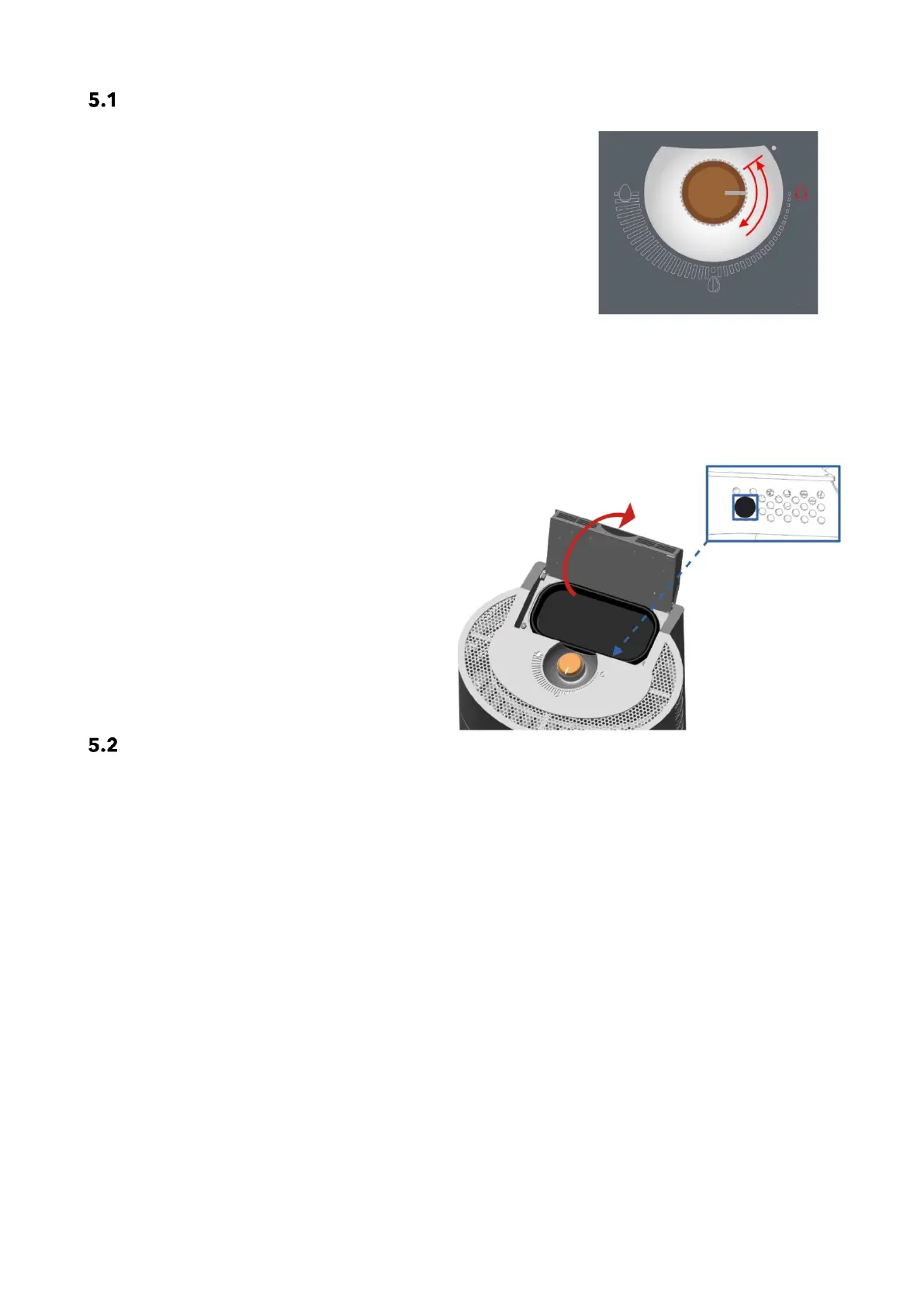
been eliminated. To do this, move the dialing knob clockwise from
the "OFF" position to any power level and immediately back to the
"OFF" position.
Alarm message
In the event of an alarm message, the flame at the top right lights up / flashes yellow. The alarm message
must be investigated, and the cause must be rectified. To cancel the fuel level alarm, there is a RESET but-
ton (see picture). The reset button can be accessed underneath the tank cap.
Reset button
The reset button is accessible at the front right
after opening the tank cap. The fuel level alarm
can be acknowledged using the reset button. The
reset button must be pressed 3 - 4 times in quick
succession.
This button is also needed to fill the auger shaft
during initial operation and after the auger shaft
has been cleaned. For this function, press the but-
ton continuously while the auger is operating.
Fill level indicator
The fill level indication is calculated by the control unit software on the basis of the pellet hopper size and the
burning time. It will only function correctly if the hopper is always filled to capacity when refilling and the fill
level counter is reset at the same time.
To set the fill level counter to "FULL", press the "reset button" several times in quick succession.
This function can be deactivated by your service engineer using the TECHNICAL DISPLAY or in the "Settings/
Fuel" of the Austroflamm PelletControl app.


 To Next Page