9 | Installation EN Operating manual Ruby
34
Software configuration
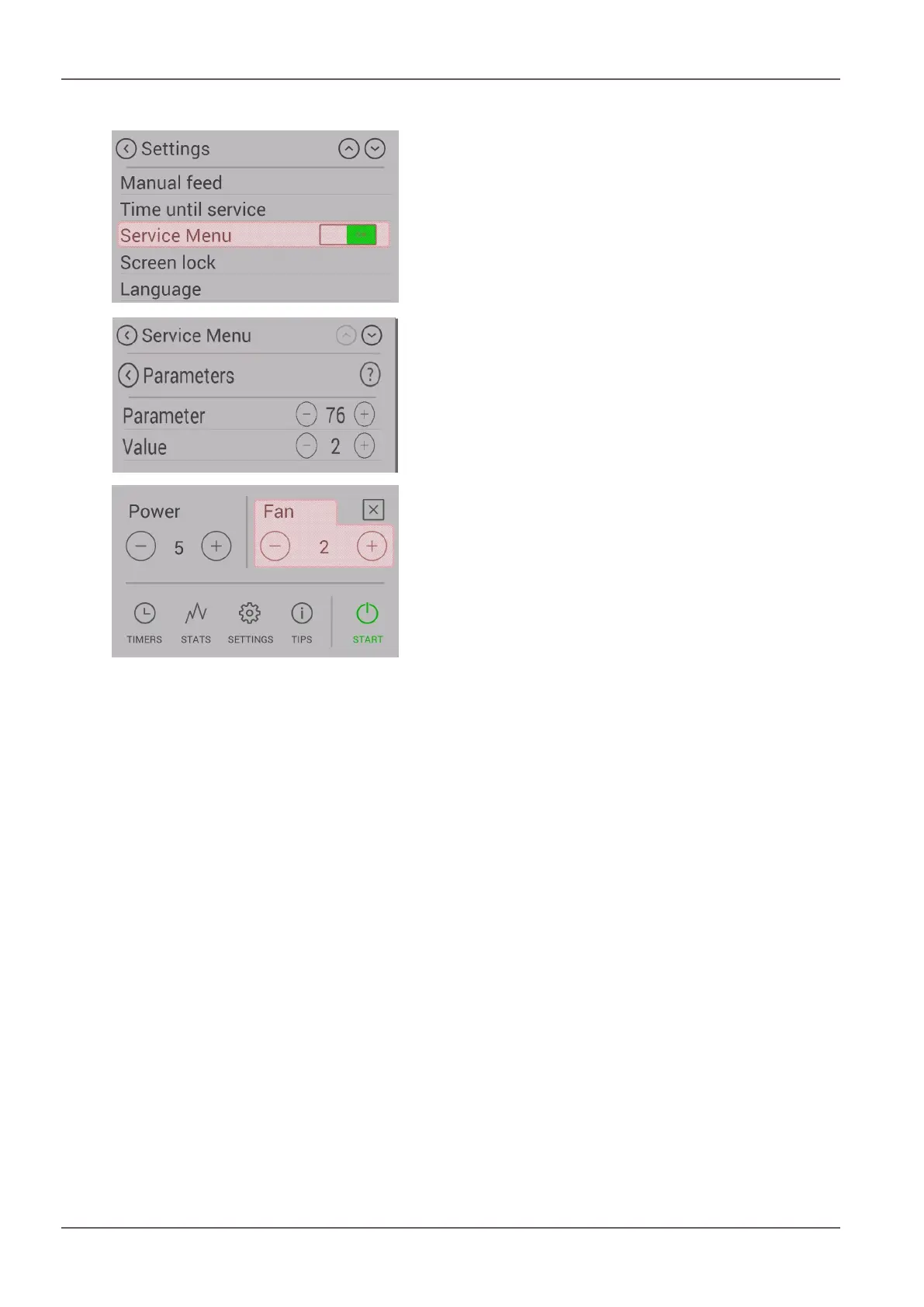
1) To enable the “Air Module” option, select the service
menu in the settings.
2) Dealers or Austroflamm onlyTo get into the service
menu, please enter the service CODE.
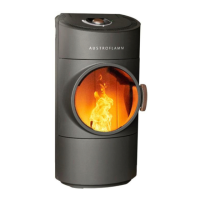
3) In the service menu, select “Parameters” and in Para-
meter no. “76” change the value from 1 to 2.
4) Now disconnect the stove from the power supply and
start it up again.
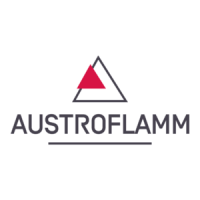
5) After the stove has been restarted the fan speed can
now be selected from the main menu. The fan will
only start to turn at a firebox temperature of 200°C.


 To Next Page