Operating manual Ruby EN 13 | Adjustments
49
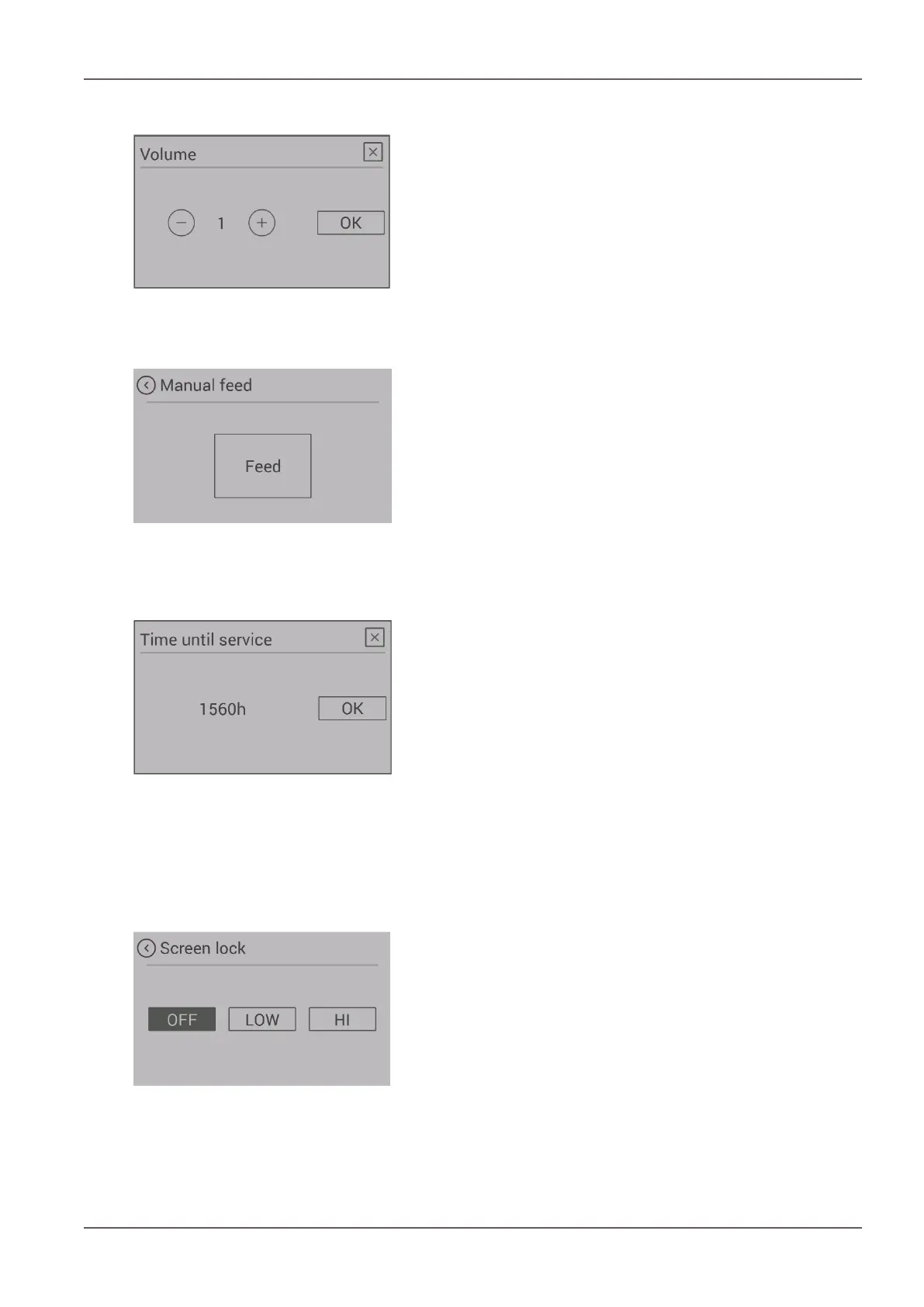
13.10 Menu item - volume
Fig.58: Volume
Choose the volume for the key sound and for the signal
sound of warnings and error messages.
Your appliance is supplied with standard volume 3.
13.11 Menu item - manual pellet feed
Fig.59: Manual pellet feed
For filling the screw with pellets for the initial commission-
ing or after the spiral has run empty, you have the option of
manual pellet feed.
If the screw conveyor is empty, the filling process can take
up to 5 minutes.
On appliances with the combustion pot design, manual pel-
let feed can be enabled at any time.
On appliances with the riddling grate this function is only
available after the START of the stove in ignition phase 2.
13.12 Menu item - service due
Fig.60: Service due
Here you can see how many maintenance-free operating
hours your stove still has before a service is required.
The service must be carried out by an authorised Austro-
flamm service engineer.
13.13 Menu item - service menu
This menu is reserved for the Austroflamm service engineer.
13.14 Menu item - display lock
Fig.61: Display lock
You have the option to restrict functions on the display
(“Child safety”).
LOW
Low lock level. Menu functions are disabled. The heat out-
put can no longer be changed. The stove can however con-
tinue to started / stopped.
HIGH
The entire stove is locked. Starting and stopping are no
longer possible.
In order to unlock again, switch back to the “Display lock”
setting and disable the function.


 To Next Page