Operating manual Ruby EN 12 | Operation
43
12.4.3 Function - setting timers and heating times
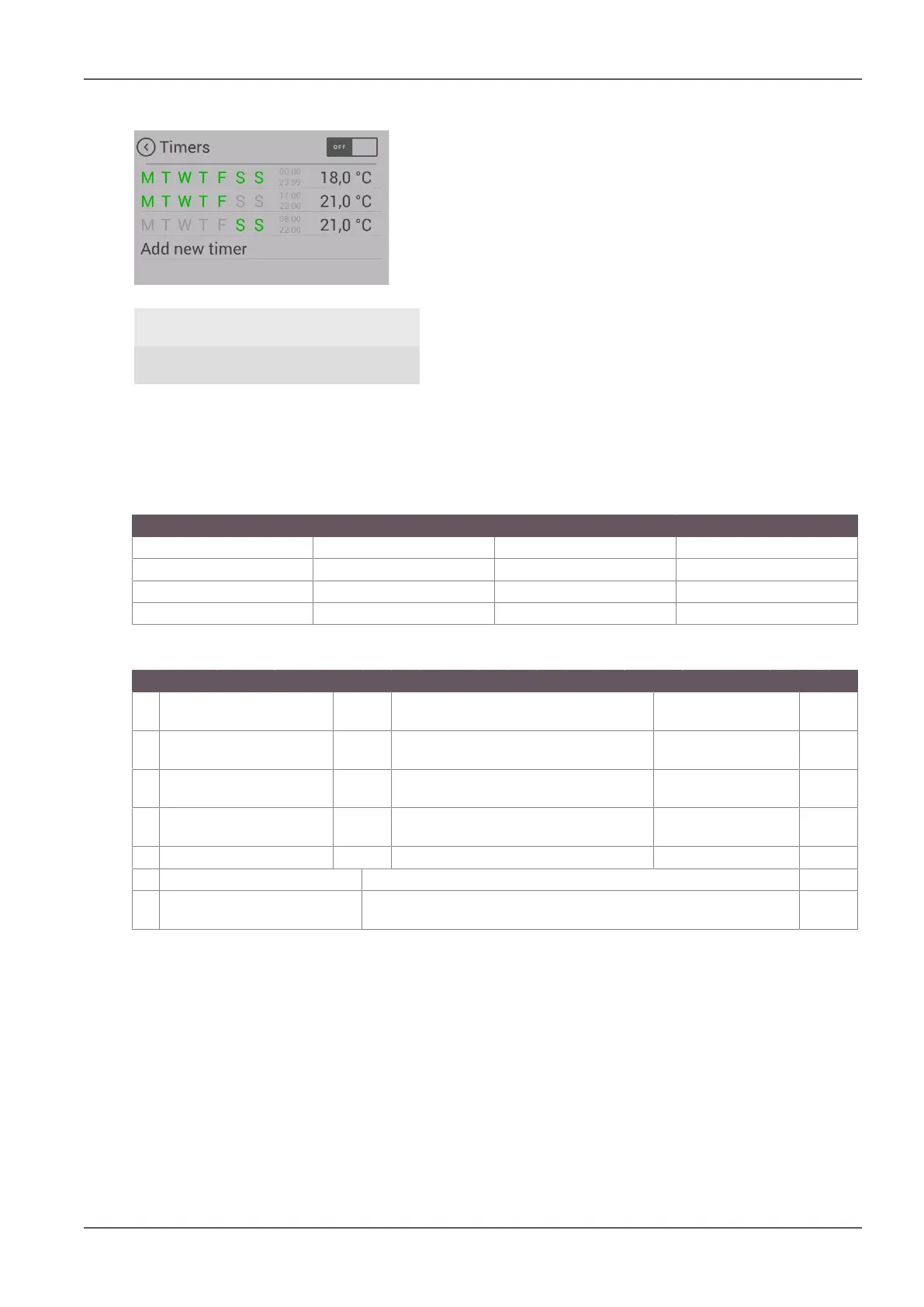
Fig.45: Heating times
1 Back 2 Enable heating
times
3 Edit heating
time
4 Create new
heating time
Pressing the “TIMERS” button in the heating output display
takes you into the “Heating times” menu.
Enable heating times by pressing “ON” in the top right
corner of the display.
A maximum of 3 heating times per day can be saved. A total
of 6 different heating times can be saved.
Set heating times can overlap one another.
If individual heating times overlap, if different temperatures are specified then the heating time with
the higher target temperature is enabled.
Example of heating times for a whole week:
Weekday Times Temp.
TIMER 1 Monday - Sunday 00:00 – 23:59 18°C
TIMER 2 Monday - Friday 06:00 – 08:00 22°C
TIMER 3 Monday - Friday 17:00 – 22:00 22°C
TIMER 4 Saturday - Sunday 07:00 – 22:00 22°C
Please note: Only 3 heating times may be set per weekday.
00 01 02 03 04 05 06 07 08 09 10 11 12 13 14 15 16 17 18 19 20 21 22 23
Mo
n
18°C 22°C 18°C 22°C 18°C
Tu
e
18°C 22°C 18°C 22°C 18°C
We
d
18°C 22°C 18°C 22°C 18°C
Th
u
18°C 22°C 18°C 22°C 18°C
Fri 18°C 22°C 18°C 22°C 18°C
Sat 18°C 22°C 18°C
Su
n
18°C 22°C 18°C


 To Next Page