12 | Operation EN Operating manual Ruby
44
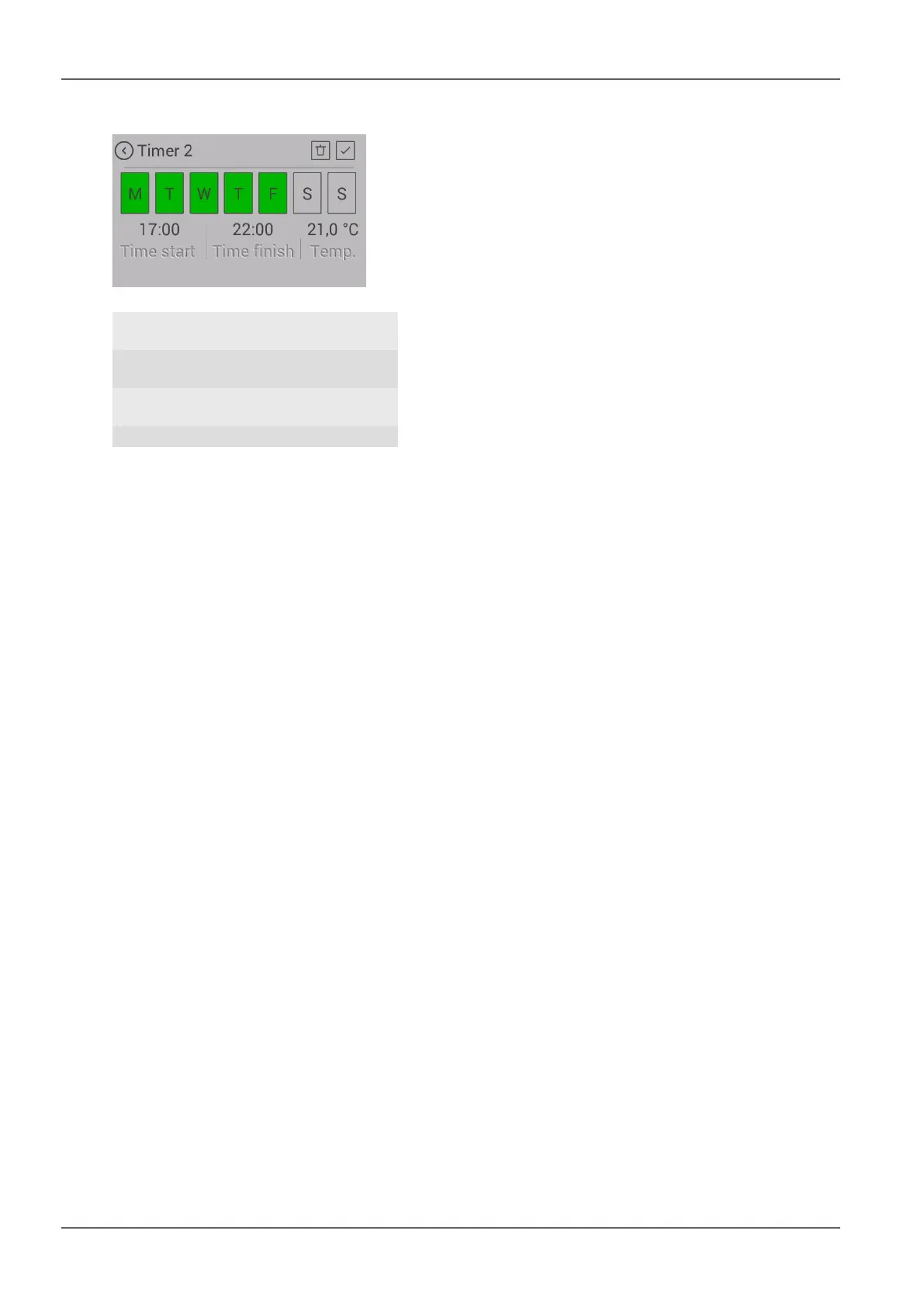
12.5 Setting / editing new heating times
Fig.46: Creating heating times
1 Back without
saving
2 Delete heating
time
3 Save 4 Target temper-
ature
5 End of heating
time
6 Start of heating
time
7 Weekdays
SETTING:
1) Set the weekdays, the start and end of the heating
time and the room temperature accordingly.
2) Save the heating time by pressing the “Save” symbol.
ð You will then be automatically taken back to the
heating times list.
You can delete an existing heating time as follows:
3) Highlight the heating time and press the “Delete heat-
ing time” symbol.
ð The timer function may only be enabled after the
desired heating time has been set.
When setting heating times, please note the following: The
timing must be in the future.
EDITING:
4) Disable timer.
5) Set new heating times
6) Enable timer.



 To Next Page