13 | Adjustments EN Operating manual Ruby
48
13.8 Menu item - display options
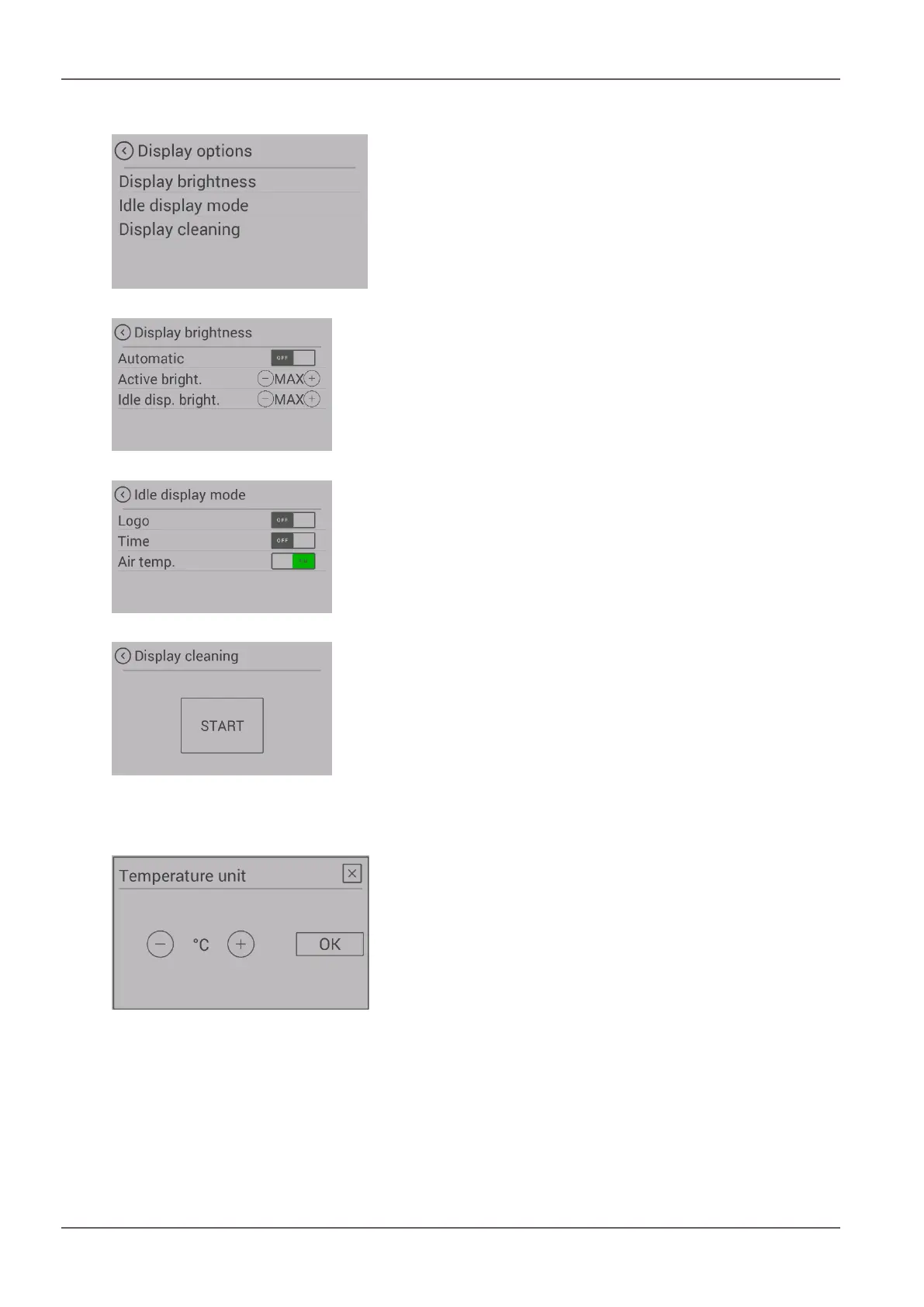
Fig.53: Display options
The following display options are available.
Fig.54: Display brightness
Display brightness
Determines the display brightness during operation and
during idle mode.
Fig.55: Display Idle mode
Idle mode
If for 30 seconds nothing is pressed on the display, the dis-
play switches to the set Idle mode. If more than one choice
is possible, the selection is displayed alternately.
Fig.56: Display clean
Display clean
To ensure that when the display is being cleaned no func-
tion is unintentionally started, press “Start”. The display is
locked for 30 seconds.
13.9 Menu item - temperature unit
Fig.57: Temperature unit
This menu item allows you to switch between displaying the
temperature in °C and Fahrenheit.


 To Next Page