12 | Operation EN Operating manual Ruby
40
12.3 Operation using touch display
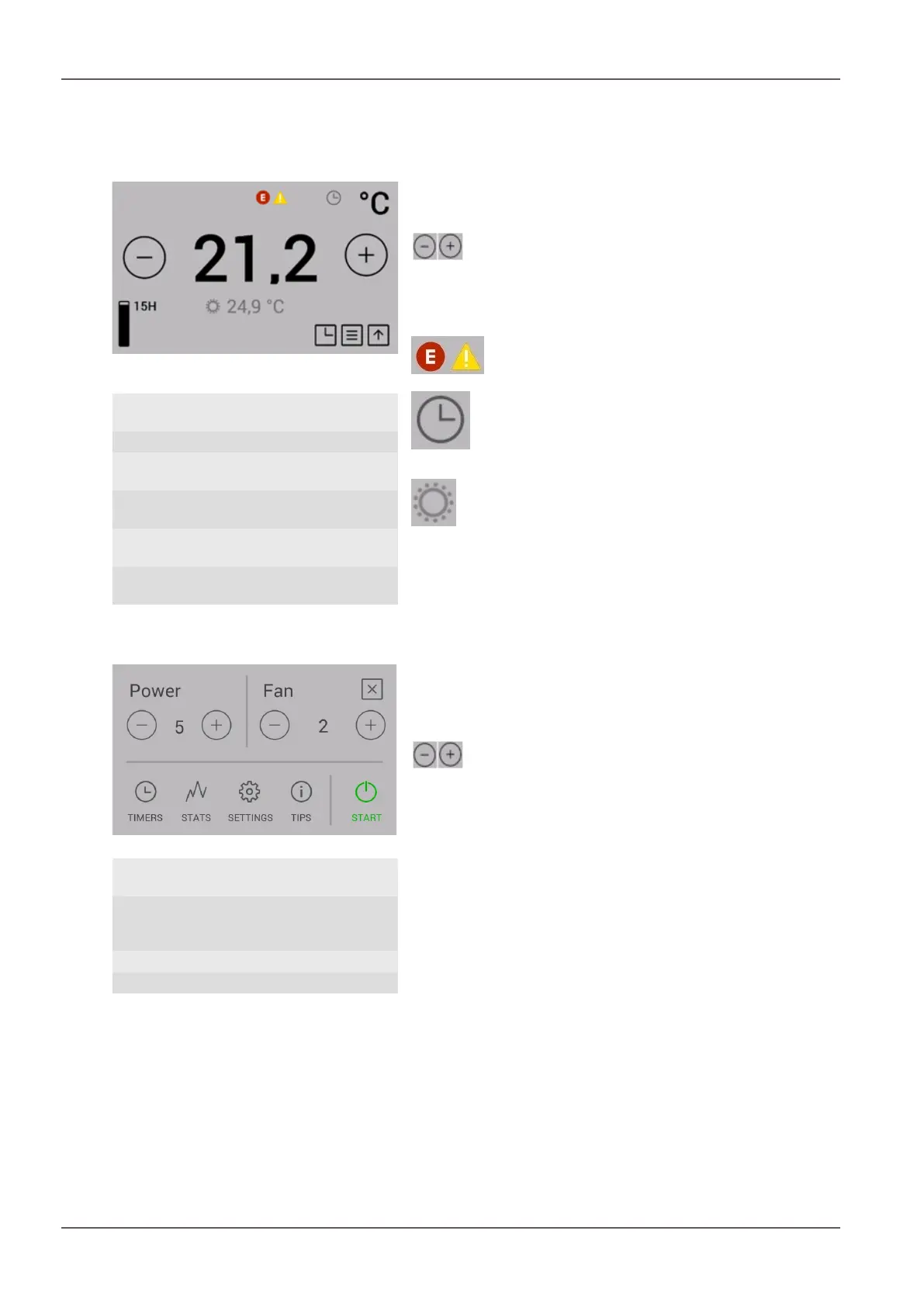
12.3.1 Display - room temperature display, various functions
1
OFF
2
3
4 5
6
7
8
9
Room
temperature
10
11
12
Fig.41: Room temperature display, various
functions
1 Stove operating
condition
2 Target temper-
ature
3 Error 4 Warning
5 Timer enabled 6 Temperature
unit
7 to start screen 8 Menu with heat
output settings
9 Delay timer 10 current room
temperature
11 SmartSpot is
connected
12 Filling level in-
dicator
You can switch to the relevant setting or function by press-
ing the corresponding symbol.
The desired target temperature can be set between
5°C and 40°C by pressing the buttons in 0.2°C incre-
ments. The setting is immediately applied. The cur-
rent room temperature is by default measured at the
black room temperature sensor on the back of the
appliance.
The error- and warning symbols are only displayed
when there is an error or a warning. The error is dis-
played in detail by tapping the symbol.
The “Heating time enabled” symbol is only displayed
if heating times are programmed in the timer menu.
The optionally available SmartSpot - a wireless ther-
mostat - works in the stove.
Room tem-
perature
Pressing the Room temperature takes you to “Firebox
temperature”
12.3.2 Display - heat output display, other function menus
Fig.42: Heat output display
1 Heat output
level
2 Air distribution
fan
3 back to room
temperature
display
4 Start / stop func-
tion
5 Tips 6 Settings
7 Statistics 8 Heating times
You can switch to the relevant setting or function by press-
ing the corresponding symbol.
The desired heat output can be set by pressing the
buttons. This setting is immediately applied.
The stove is started or stopped by pressing the start /
stop button for longer than 2 seconds.


 To Next Page