Material y funcionamiento/Material and Functioning
COMPONENTS NAME UNITS REF.
Main access PD DIGITAL keyboard (1) 6*****
Module of control Module of control SDL (1) 600007
Internal accesses PD DIGITAL (1)(2) 6*****
Module of control Module of control (1)(2) 60000*
Mod. rows-columns Mod. rows-columns (1) 600002
Mounting box Mounting box (1)(2) 50902*
Lines selector SDL (1) 730121
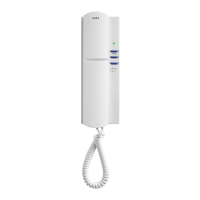
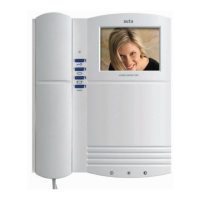
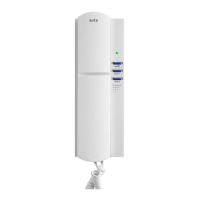
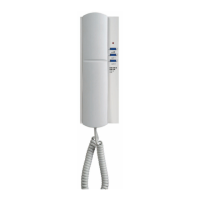
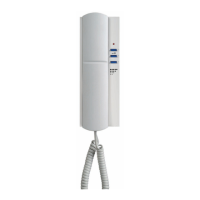
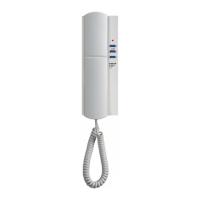
Phone Digital compact phone (1) 700105
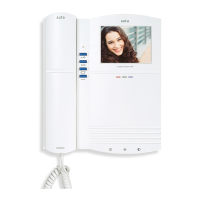
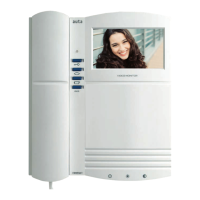
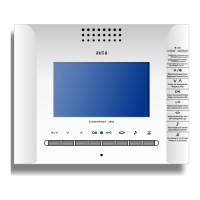
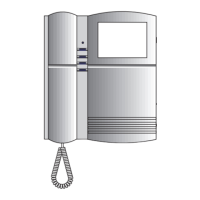
Monitor Digital compact monitor (1) 750105
Video distributor DVC-4S (1) 750498
Power supply POWER SUPPLY (3) ******
Door opener Door opener (1) 720001
In digital installation and thanks to the SDL is already possible to have multiple communication channels.
Th
e new SDL permits to communicate from several common external accesses to one internal building without affect the rest of internal
buildings, that could maintain simultaneously and independently its communication.
The new SDL is perfect for big condos or housing developments.
Call from the external panel
The call is done in 3 steps:
1
st
Step: Type the buildings code & press bell
. The screen will show INTRODUCE HOUSING
2
nd
Step: Type the housings code & press bell
. (If there is no answer in 10 seconds the panel will back to stand-by)
3
rd
Step: The panel send the housings code to the housing called. The digital monitor or phone will ring during 30 seconds. The screen
will show *CALLING* C TO CANCEL
In the case of mistake during the housings typing we could rectify by pressing the key C and repeating the steps 1
st
& 2
nd
.
If the housing called is engaged the main panel will show the message LINE ENGAGED and will return back on stand-by.
Communication establishment from one external panel
Picking up the handset during the call the communication will be established. We will see on the screen COMMUNICATION ESTABLISHED.
Pr
essing the corresponding button on the phone or monitor, during the communication, we could release the door opener.
The communication will finish hanging up the handset or 1 m 30 seconds spent. In both cases the message COMMUNICATION ESTABLISHED
will disappeared and will be shown the message END OF CALL and finally the message INTRODUCE BUILDING.
Calling and communication establishment from the internal panels.-
The internal panels could be either with keypad or push-button. Its configuration will be standard & its functioning and configuration
will be the same as in an individual installation.
When a communication between an external access & an internal building is established, the buildings panel will hold engaged (Red
led in Push-button panel - Screen is keypad panel)
Access code
1
st
Step: Push
and dial the code 0000 (code from factory).
2
nd
Step: Push again the door will be released.
How to modify the door release code
1st step: Push and dial the code 1664, then push again.
2nd step: The panel will show you the message OLD CODE_ _ _. Dial the old code (0000 if is the first time the code is modified) and push .
3rd step: The message NEW CODE_ _ _ will be show. Dial the new code and push . The new door release code is activated.
Codification of the installation
The SDL are configured from 1 to 254 (see table page 9). The assigned code will correspond to the building code.
Ex
ample: Code 1 = Building 1Code 254 = Building 254
The internal panels are standard and are codified independently (see digital panel guide). A maximum of 254 monitors or phones could
be installed per internal access.
(1) Unidades según instalación
Units depending on installation
(2) V
er mod., serie y ref. de la placa de calles
See references on catalogue
(3)
*The power supply unit ALV-DIGITAL 3.5A does not give A/C
current (R-C). So it has to be installed with and A
TF-12 power
supply unit to release the electrical strike & to light the cardholde
r
ATF-98
10
MAX.
MAX.
20
ALV-3.5A + ATF-12*
40
80
*El ALV-3.5A no suministra corriente alterna
(R-C) por lo que se debe instalar junto a un ATF-12 para
accionar el abrepuertas y la iluminación de los tarjeteros.
List of Material
Functionig
Teclado Video
Teclado Video - Fonía
Teclado Video
SDL
DIGITAL
9



 To Next Page