18
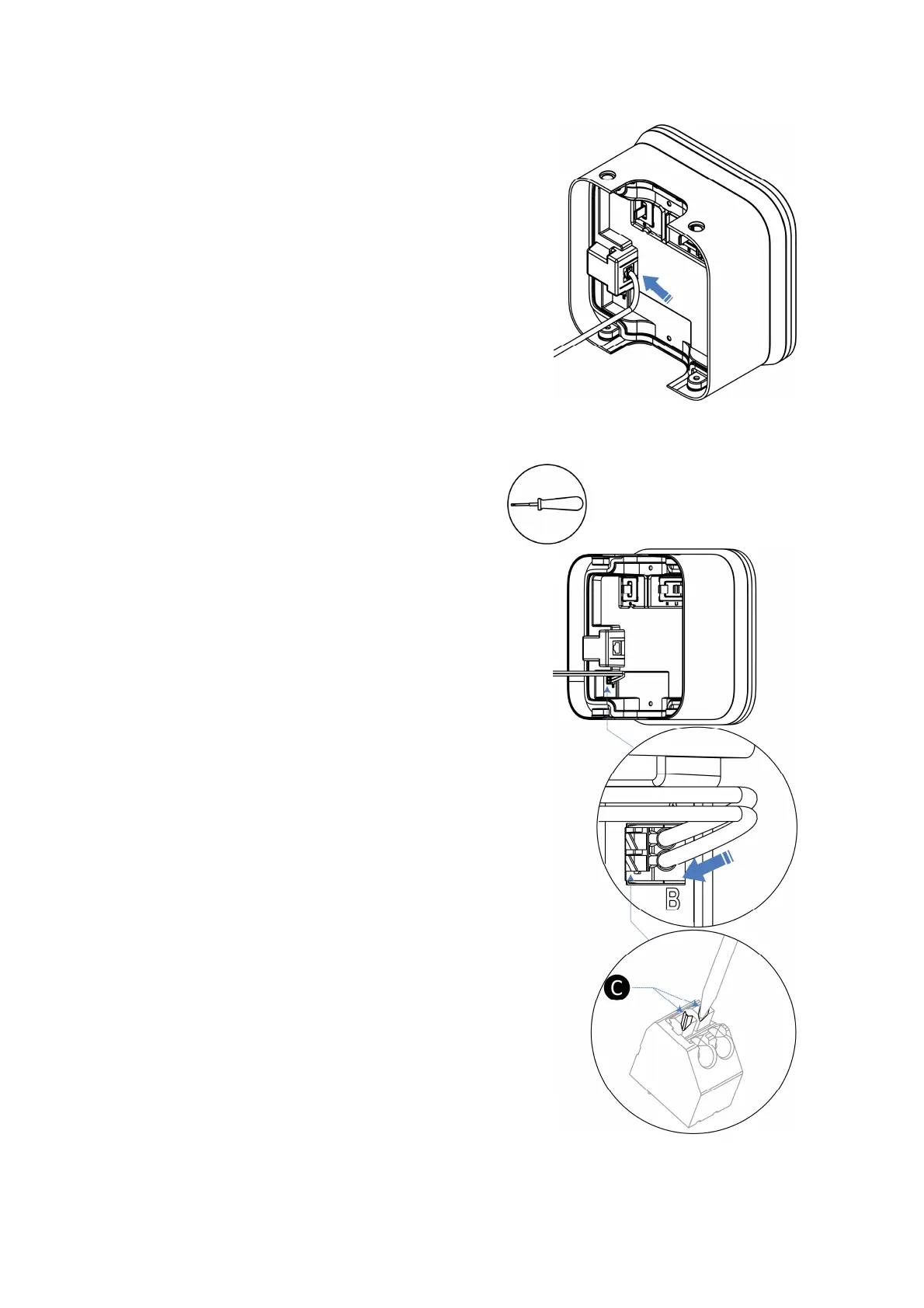
4.2.2 Connecting the Ethernet Cable
Connect the Ethernet cable to the port inside the
main unit.
4.2.3 Connecting the RS485 Cable
If RS485 communications is needed, the RS485
cable can be routed into the wirebox from the same
Ethernet cable entry.
1. Use a flathead screwdriver to press and hold
the buttons (C) below the RJ45 port to release
the ports.
2. Connect the RS485-A wire to the port marked
“A” and the RS485-B wire to the port marked
“B”.














 To Next Page