13
Installing the MaxiCharger
Step 1
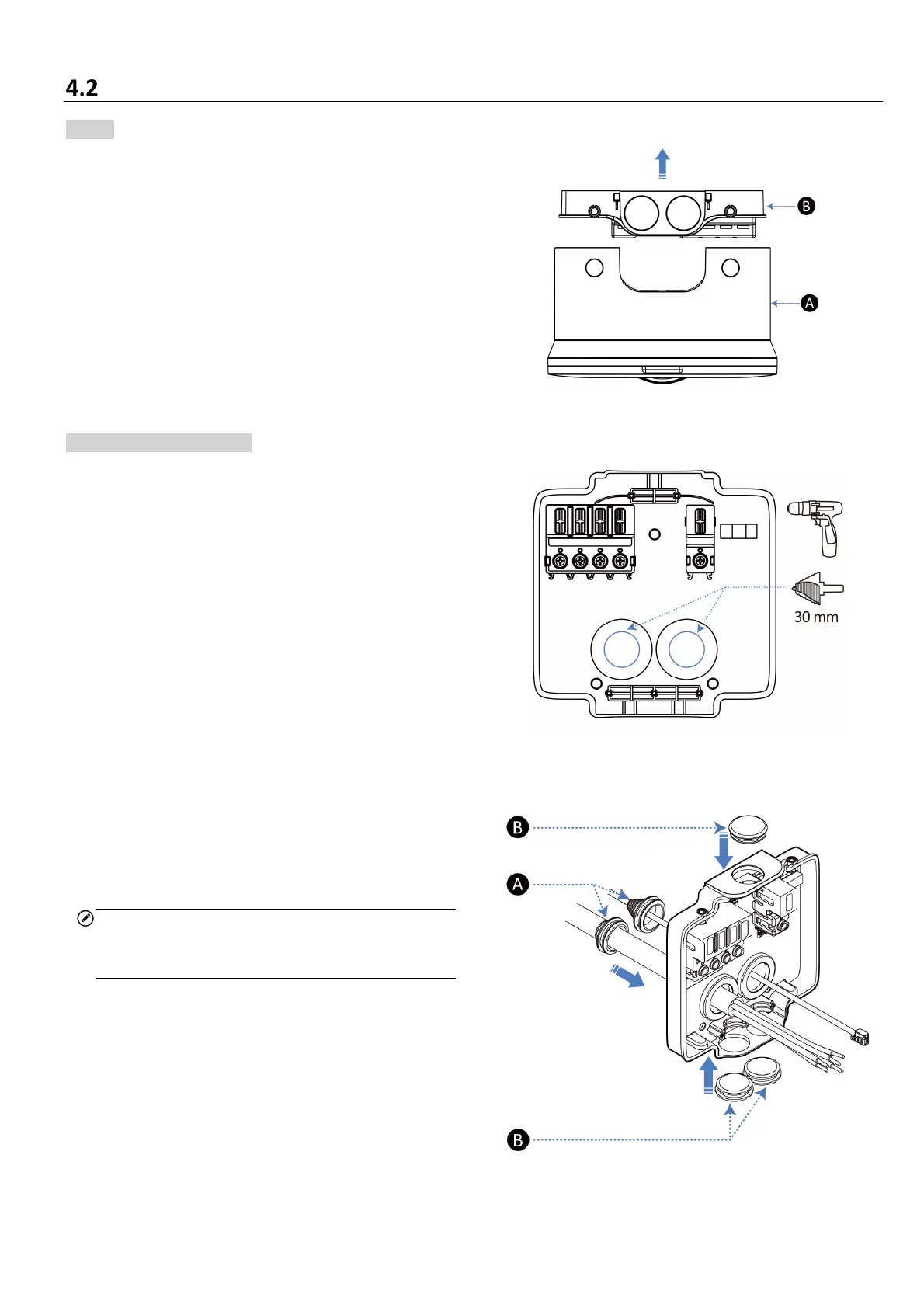
Place the MaxiCharger face down on a table. Hold
the main unit (A) and pull up on the strap to release
the wirebox (B).
Step 2 (Back Entry Only)
1. Use the power drill with a 30 mm step bit to drill
two holes at the designated locations.
2. Use a pair of scissors to cut two sealing plugs
(A) to fit the AC input cable and Ethernet cable.
Make the holes smaller than the cables to
ensure a good fit.
NOTE
See Step 4 on Page 15 for reference to cut the
sealing plugs.
3. Route the cables into the wirebox from the
back.
4. Push the sealing plugs (A) to cling to the entries.
5. Use three blind sealing plugs (B) to seal the
spare entry.














 To Next Page