77
The tool must be connected to the Internet at the time download is
scheduled.
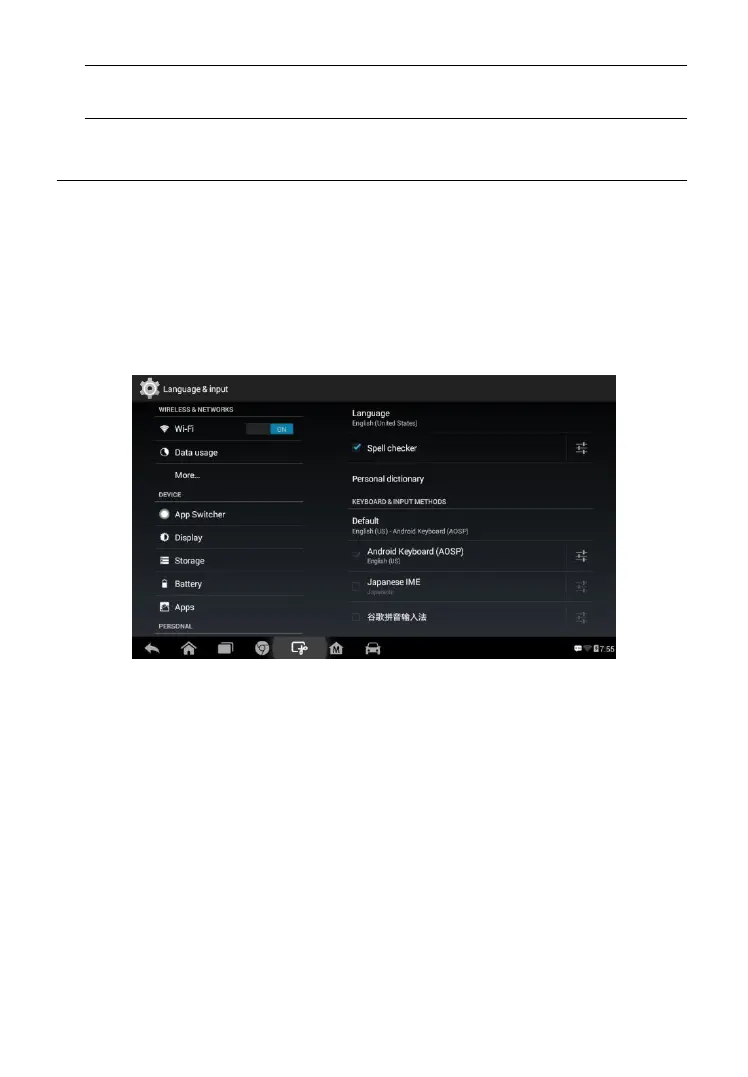
System Settings
Access the Android system setting interface to adjust background system
settings including wireless and network settings, sound and display screen
settings and system security settings.
To enable the App Switcher function
1. Tap the Settings application on the MaxiPRO Job Menu.
2. Tap the System settings option on the left column.
3. Tap the App Switcher option on the left column.
4. Check the box beside “Always show the App Switcher” on the right
side of the screen, then the App Switcher icon will display.
Short pressing the App Switcher icon opens a control panel:
Tap a specific app shortcut button to access selected application
screen.
Long press a specific app shortcut button to display the app menu. The
shortcut can be altered here.
Press and drag the App Switcher icon to alter the icon position on the
screen.
Figure 8- 8 Sample System Settings Screen















 To Next Page