90
12 Remote Desk
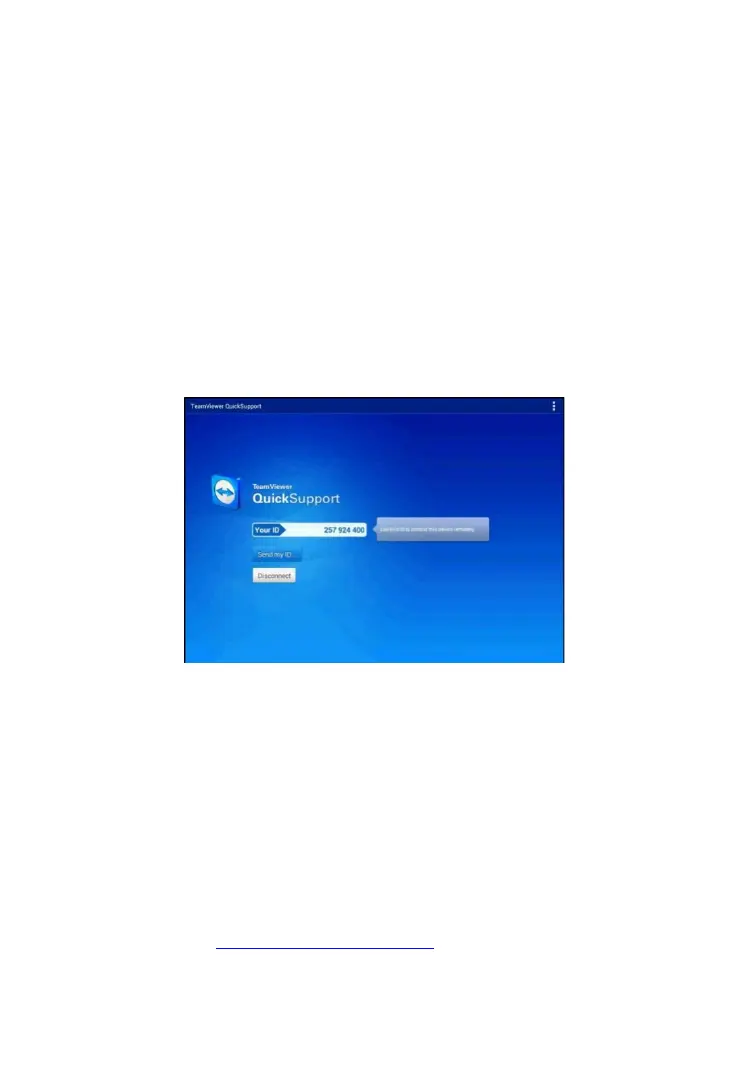
The Remote Desk application launches the TeamViewer Quick Support
program, a simple, fast and secure remote control interface. Use this
application to receive ad-hoc remote support from Autel’s support
technicians by allowing them to control your MaxiPRO tablet on their PC via
the TeamViewer software.
Make sure the Display Tablet is connected to the Internet before launching
the Remote Desk application.
To receive remote support from a partner
1. Power on the tablet.
2. Tap the Remote Desk application on the MaxiPRO Job Menu. The
TeamViewer screen displays and the device ID is generated and
shown.
3. Your partner must install the Remote Control software to his/her
computer by downloading the TeamViewer full version program
online (http://www.teamviewer.com), and then start the software on
his/her computer at the same time, in order to provide support and
take control of the Display Tablet remotely.
Figure 12-1 Sample Remote Desk Screen














 To Next Page