60
NOTE
The vehicle VIN number or license and the customer information account
are correlated by default. Adding one of the information will automatically
associate the other item in the record sheet, provided that the later one
exists.
6. Tap Add to Customer to supplement the Historical Test record
sheet to an existing customer account, or add a new associated
account with the test vehicle record. See Customer Manager on
page 61 for more information.
7. Tap Done to save the updated record sheet, or tap Cancel to exit
without saving.
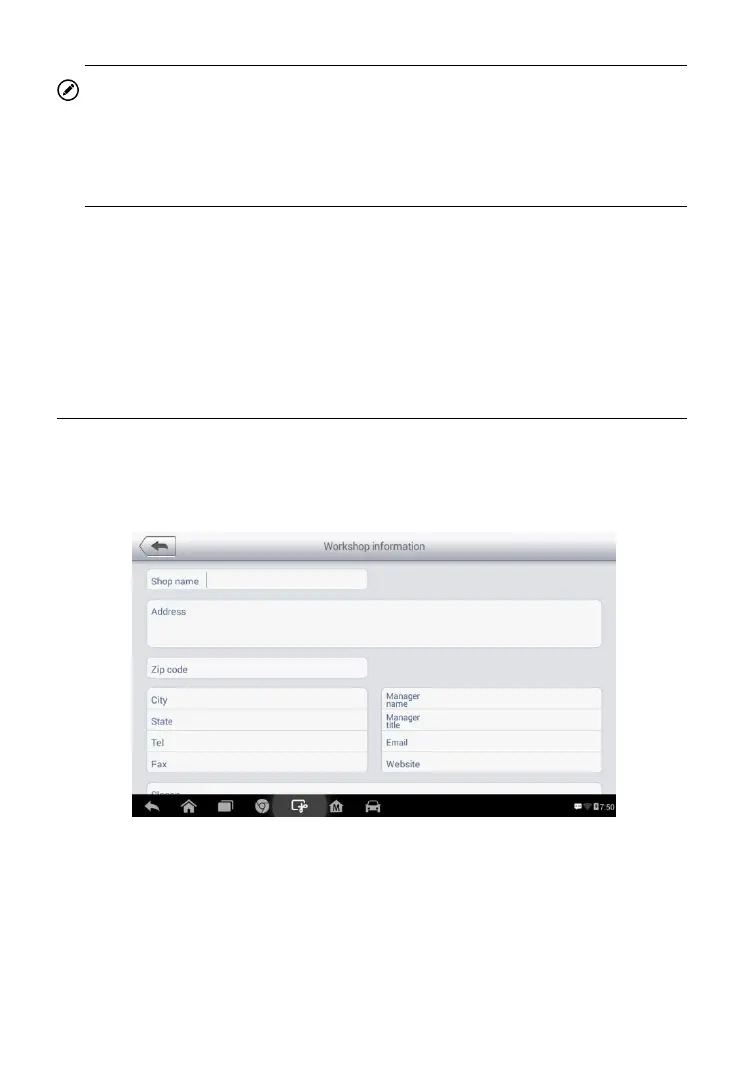
Workshop Information
The Workshop Information form allows you to edit, input and save the
detailed workshop information, such as shop name, address, phone number
and other remarks, which when printing vehicle diagnostic reports and other
associated test file, will display as the header of the printed documents.
To edit the Workshop Information sheet
1. Tap the Shop Manager application on the MaxiPRO Job Menu.
2. Select Workshop Information.
3. Tap the Edit button on the top toolbar.
Figure 6- 3 Sample Workshop Information Sheet














 To Next Page