9
3 Getting Started
Ensure the Display Tablet is sufficiently charged or is connected to the
external power supply (see Power Sources on page 5).
NOTE
The images and illustrations depicted in this manual may differ slightly from
the actual ones.
Powering Up
Long press the Lock/Power button on the top right of the tablet to power on
the unit. The power LED light will illuminate green. The system boots up and
displays the lock screen. Slide the Lock icon to the left to enter the
MaxiPRO Job Menu or slide to the right to unlock.
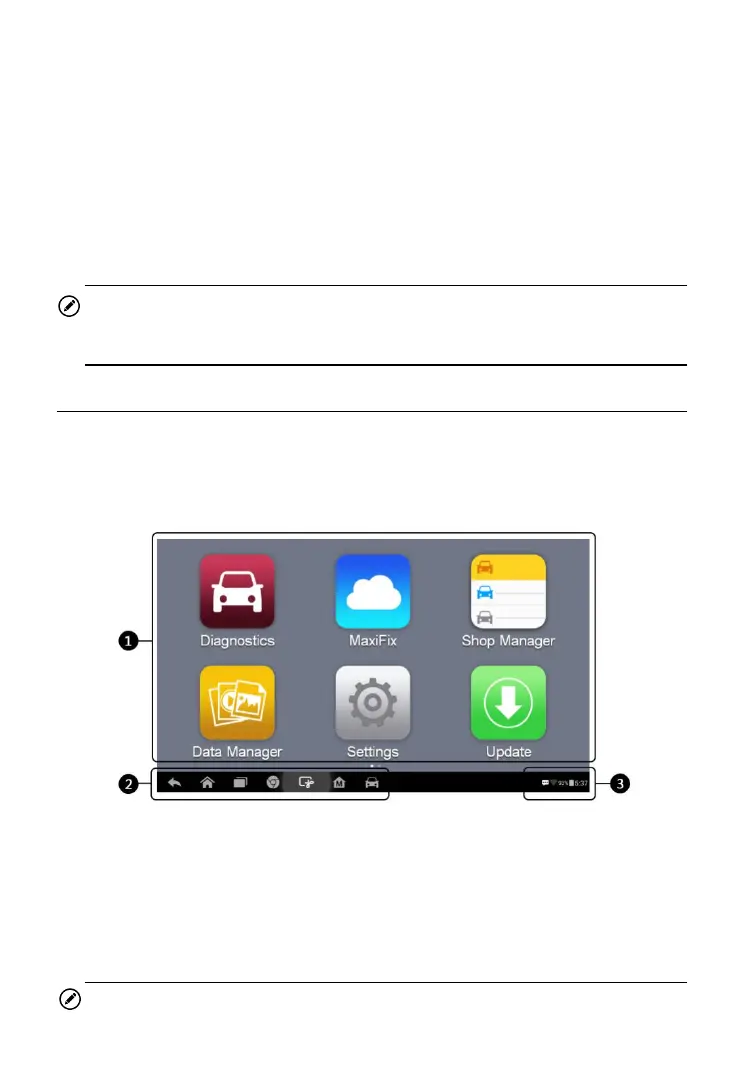
1. Application Buttons
2. Locator and Navigation Buttons
3. Status Icons
NOTE
Figure 3- 1 Sample MaxiPRO MP808 Job Menu















 To Next Page