25 | P a g e
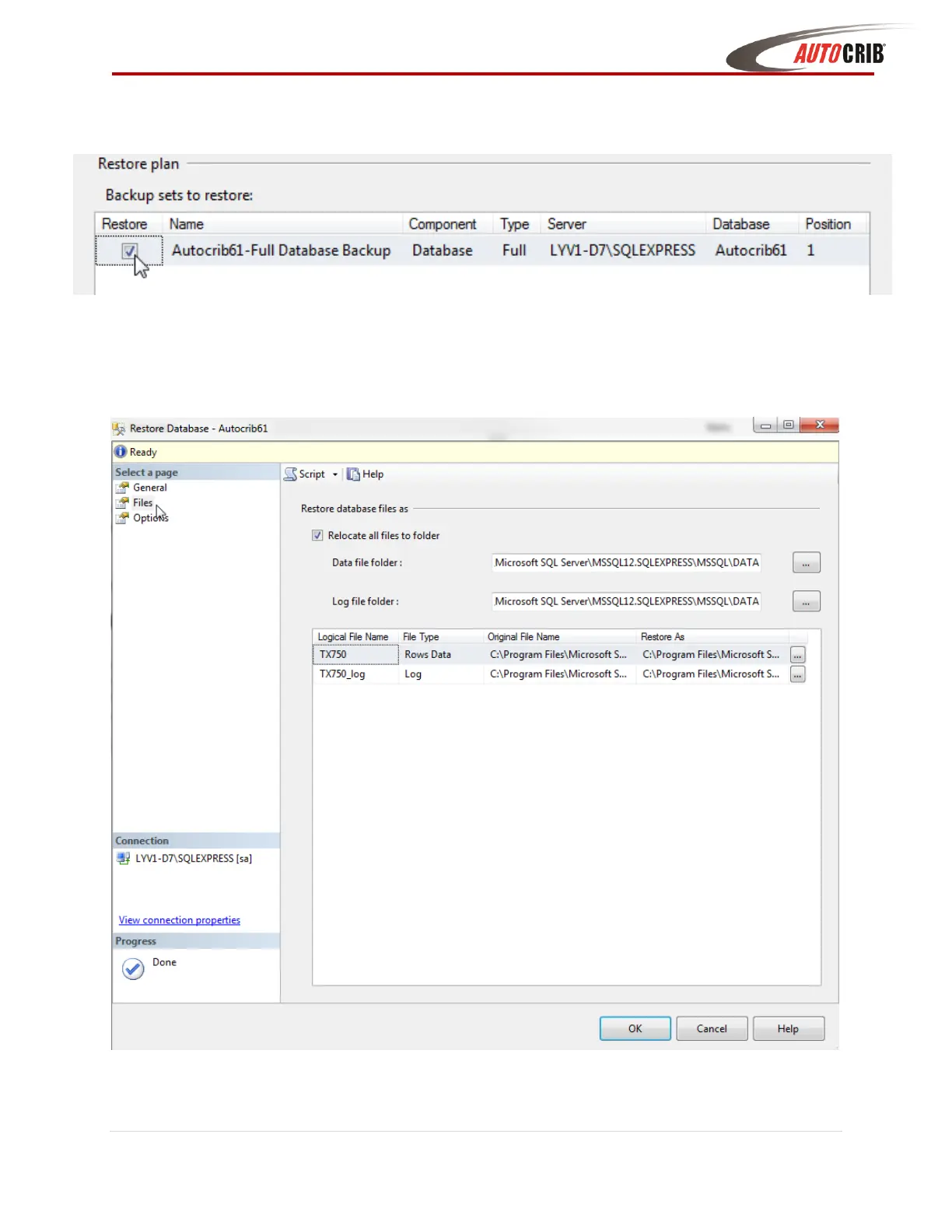
11. Within the ‘Select a page’ box click on Files, then within the ‘Restore database files as’ box
check the Relocate all files to folder checkbox
12. Within the ‘Select a page’ box click on Options, then within the ‘Restore Options’ menu, check
Overwrite the existing database checkbox and click OK



 To Next Page