52 | P a g e
Categorization
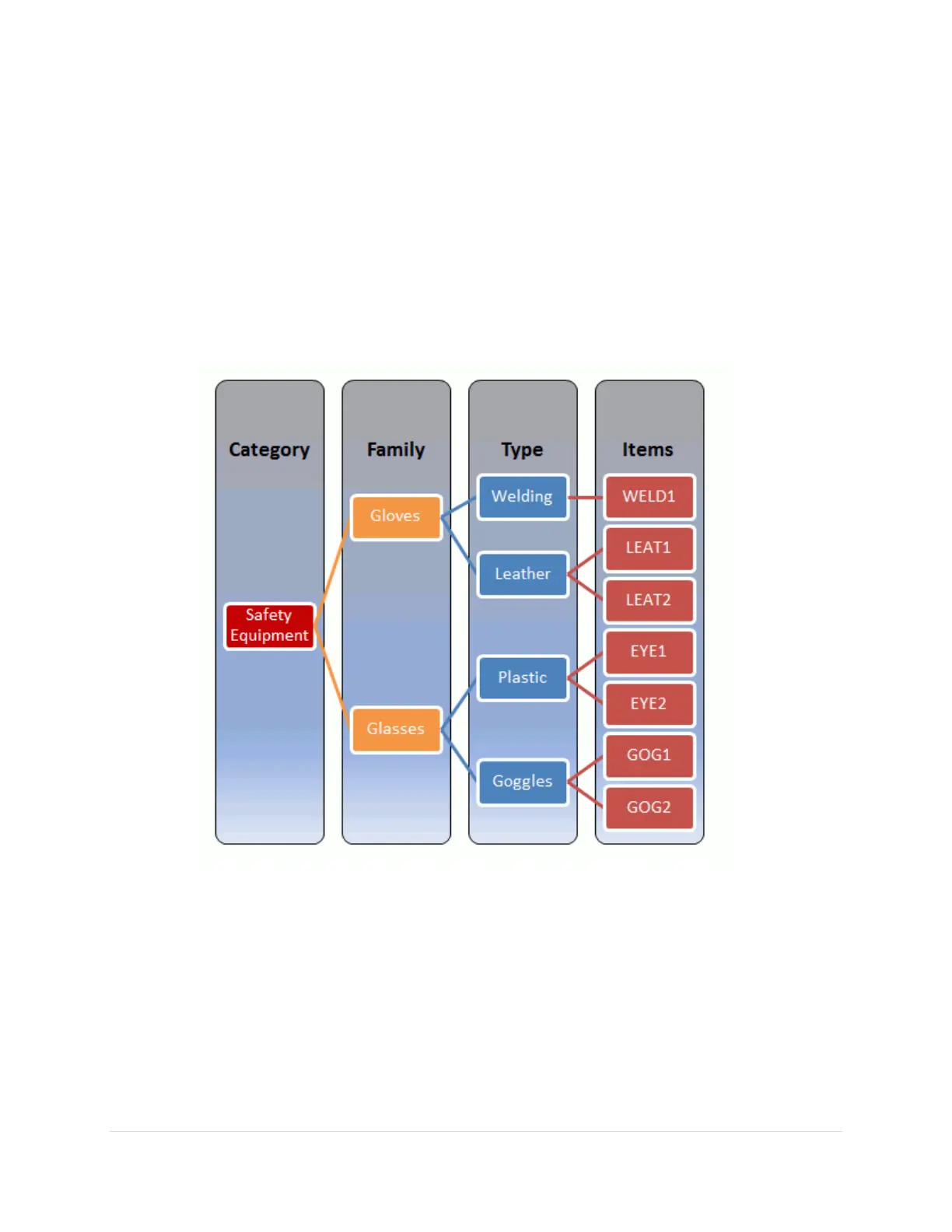
The list of items in the Issue screen at the RoboCrib can be filtered by Category, Family, and
Type. The Category selection filters the selectable list of Families, and the Family selection
filters the selectable list of Types. The Type selection filters the list of items. The relationships
among the Categories, Families, Types and items are set up in the Categorization module.
In setting up categorization, objects are grouped into Categories, usually for some specific
purpose such as Safety, Maintenance, or Cutting Tools. Ideally, a Category should reflect a
relationship or hierarchy between the Family, Types, and the items.
An example of a categorization set is illustrated below.
Before this can be implemented, the categories and their associations must first be setup in the
AutoCrib software.



 To Next Page