66 | P a g e
Commonly Performed Procedures
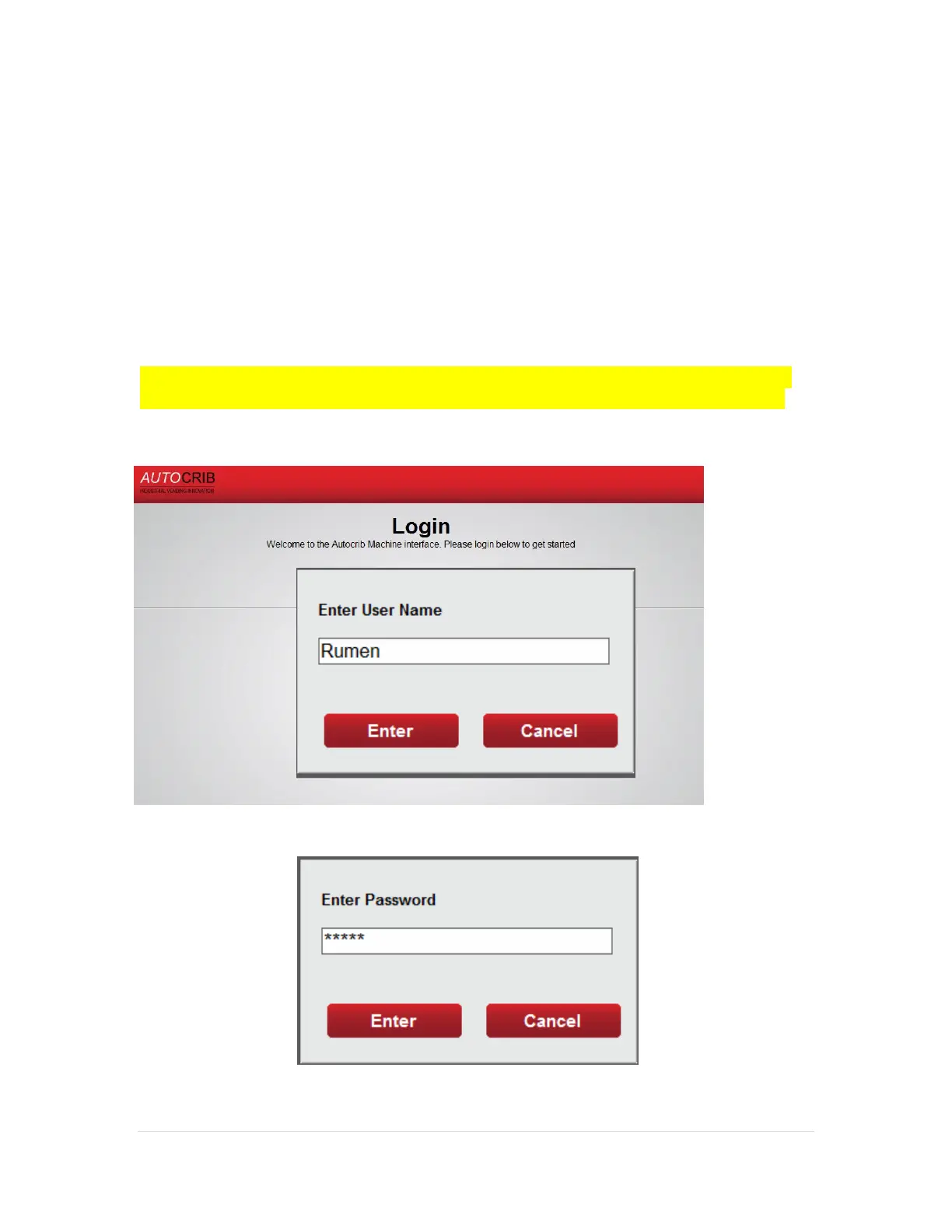
Exiting the software to access the Microsoft Windows desktop
1. Ensure the SuperRobo software is in the main login screen.
2. Press anywhere on the AutoCrib logo in the upper left portion of the screen.
(See Diagram 6.1)
a. Insert the Exit username and press “OK”
b. Insert the Exit password and press “OK”
NOTE: If an Exit username and password has not been setup, go into the
Tools > Security module of the AutoCrib software and create a new user.



 To Next Page