32 | P a g e
Stocking the FX Lockers
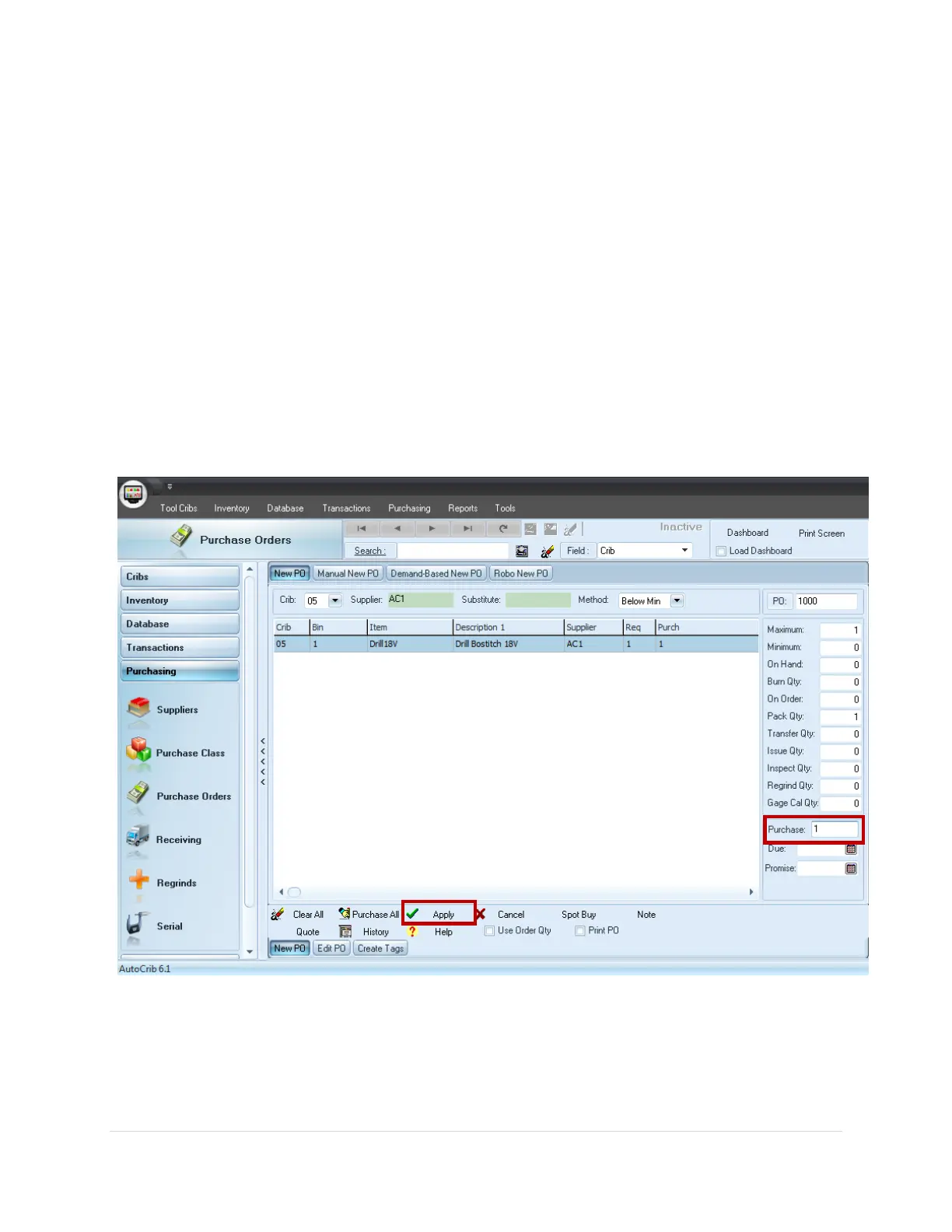
Create a Purchase Order and Tag
(See Diagram 4.1)
1. Use the New PO tab. This can be found in the Purchase Orders module within the
Purchasing menu.
2. Select the Crib, Supplier, and Method for reordering.
3. If all items should be ordered up to max, select “Purchase All”. Otherwise, insert the
individual quantities into the Purchase field.
4. Once satisfied with the purchase quantities, click the ‘Apply’ button.



 To Next Page