54 | P a g e
Create Categories
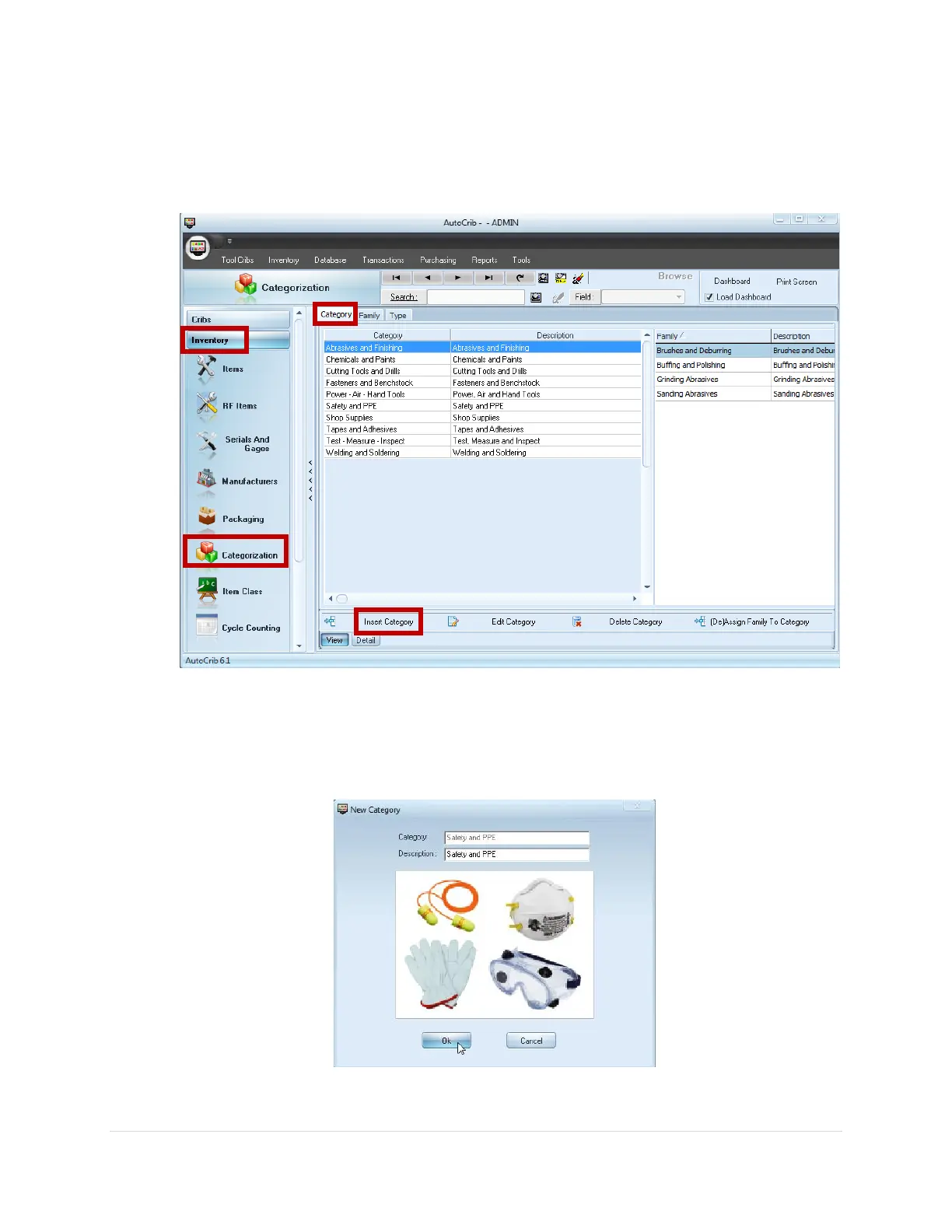
1. Create a Category by navigating to Inventory > Categorization > Category tab then
click the Insert Category button
2. In the Category Look-up box, enter a Category name and description
3. Right click in the (Image1) box and select Insert Picture
4. Locate the picture you want to use for the category, then click Ok
5. Click Ok to save the entry
6. Continue steps 1-6 until all categories have been created



 To Next Page